

Description
ZoloBlocks is a collection of blocks, patterns, and page templates for the WordPress block editor. It helps you design complete pages using the native editor without a third-party page builder.
Live Demo | Pro Version | Documentation
What ZoloBlocks Provides
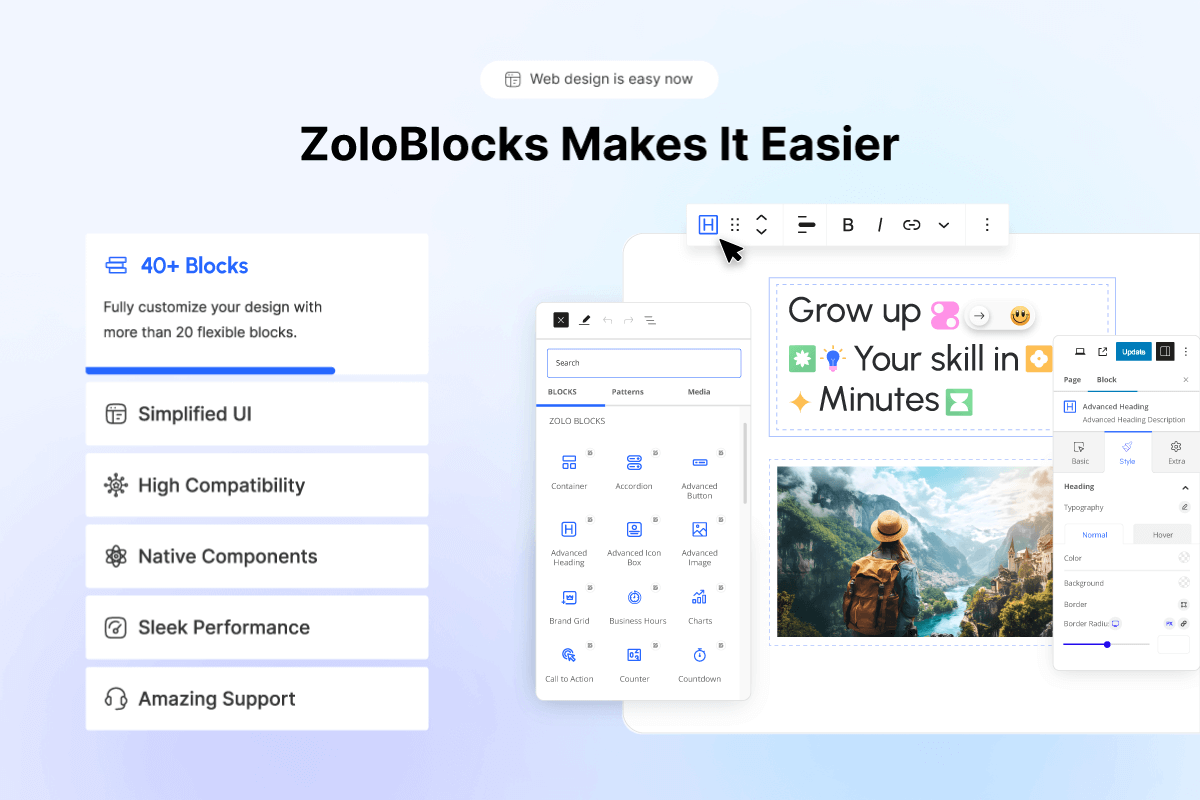
- A library of advanced blocks that extend the default WordPress block editor.
- Pre-designed patterns and page templates you can insert into pages.
- Full Site Editing compatibility with block themes.
- Dynamic content options for site, post, or user data.
- Query loop options for posts, products, or custom post types.
- Animation and visual effect options for supported blocks.
- Optional AI text generation to help draft headings and paragraphs (third-party service, see “External services” below).
- Pattern import and export for reuse across sites.
Key Features
- Layout building with pre-built sections and templates.
- Responsive containers for mobile, tablet, and desktop.
- Mega menu for multi-level navigation.
- Dynamic content and query loop for posts or custom post types.
- Entrance and scroll-based animations on supported blocks.
- Optional AI text generation inside the editor (third-party service).
- Pattern import / export for reuse across pages or sites.
Available Blocks
ZoloBlocks ships 60+ free and pro blocks across categories such as Image, Slider & Carousel, Post, Review, Form, Popup, Utility, Creative, Loop & Animation, Grid & List, Single Page Elements, and Advanced. A full list with live demos is available at https://zoloblocks.com/demo/.
Who Is It For
Website designers, freelancers, agencies, bloggers, content creators, small business owners, portfolio builders, and digital marketers who want to design WordPress pages directly in the block editor.
Support
The team behind ZoloBlocks ships regular updates. For help, contact support. Visit BdThemes for more plugins and documentation.
Source code
The compiled JavaScript and CSS files in the build/ and assets/ directories are generated from the source code in the src/ directory.
Public source repository: https://github.com/bdthemes/zoloblocks
Build instructions:
- Clone the repository.
- Run
npm installto install dependencies. - Run
npm run buildto generate the production assets inbuild/. - Run
composer installto install PHP dependencies (used for development tooling only).
External services
This plugin connects to several third-party services. Each service is only contacted when the related feature is used or configured. No personal data is sent unless the corresponding feature is enabled or the user interacts with it.
1. Google reCAPTCHA
Used by the Form block when the site administrator enables reCAPTCHA protection and provides site / secret keys in ZoloBlocks settings.
– What is sent: the reCAPTCHA token generated in the visitor’s browser, the visitor’s IP address, and the configured secret key, sent to https://www.google.com/recaptcha/api/siteverify on form submission. The Google reCAPTCHA JavaScript (https://www.google.com/recaptcha/api.js) is loaded on pages containing a form when reCAPTCHA is enabled.
– When: only when reCAPTCHA is enabled and a form is submitted.
– Provider: Google LLC. Terms: https://policies.google.com/terms Privacy: https://policies.google.com/privacy
2. Google Maps
Used by the Google Map block when added to a page.
– What is sent: the configured Google Maps API key and a request to load the Google Maps JavaScript API from https://maps.googleapis.com/maps/api/js. The browser of any visitor viewing a page containing a Google Map block will load map tiles from Google.
– When: only when a Google Map block is present on a page.
– Provider: Google LLC. Terms: https://cloud.google.com/maps-platform/terms Privacy: https://policies.google.com/privacy
3. Google Fonts list (WordPress.org mirror)
Optional. Used by the typography controls only when a site administrator enables Settings Editor Options Load Google Fonts catalog (WordPress.org mirror) in the ZoloBlocks dashboard.
– What is sent: a simple HTTP GET request (no personal data) to https://s.w.org/images/fonts/wp-7.0/collections/google-fonts-with-preview.json to retrieve the list of Google Fonts.
– When: only after the option is enabled, and only when the block editor needs to refresh the font list.
– Provider: WordPress.org. Terms and privacy: https://wordpress.org/about/privacy/
4. Zolo AI (AI text generation by Sigmative)
Used by the optional AI text generation feature inside the block editor.
– What is sent: the prompt text entered by the site administrator in the editor, and the API key configured in ZoloBlocks settings, sent to https://ai.sigmative.com/api/prompt/v1/generation/chat/completions.
– When: only when an administrator clicks the AI generation action in the editor.
– Provider: Sigmative. Privacy: https://sigmative.com/privacy-policy
5. Mailchimp (optional Form integration)
Used only when a site administrator configures a Form block to send subscriber data to Mailchimp.
– What is sent: the visitor’s email address, optional first name, the configured Mailchimp API key and list ID, sent to https://<dc>.api.mailchimp.com/3.0/lists/{list_id}/members (where <dc> is the data center prefix derived from the API key).
– When: only when a visitor submits a form whose Mailchimp integration has been configured by the administrator.
– Provider: Intuit Mailchimp. Terms: https://mailchimp.com/legal/terms/ Privacy: https://www.intuit.com/privacy/statement/
6. Custom Webhooks (optional Form integration)
Used only when a site administrator pastes a custom webhook URL into the Form block settings.
– What is sent: the visitor’s email address and optional first name, sent as a JSON POST request to the URL configured by the administrator.
– When: only when a visitor submits a form whose webhook URL has been configured by the administrator.
– Provider: the third-party service chosen by the administrator. The administrator is responsible for ensuring the destination has an appropriate privacy policy.
Screenshots



Blocks
This plugin provides 84 blocks.
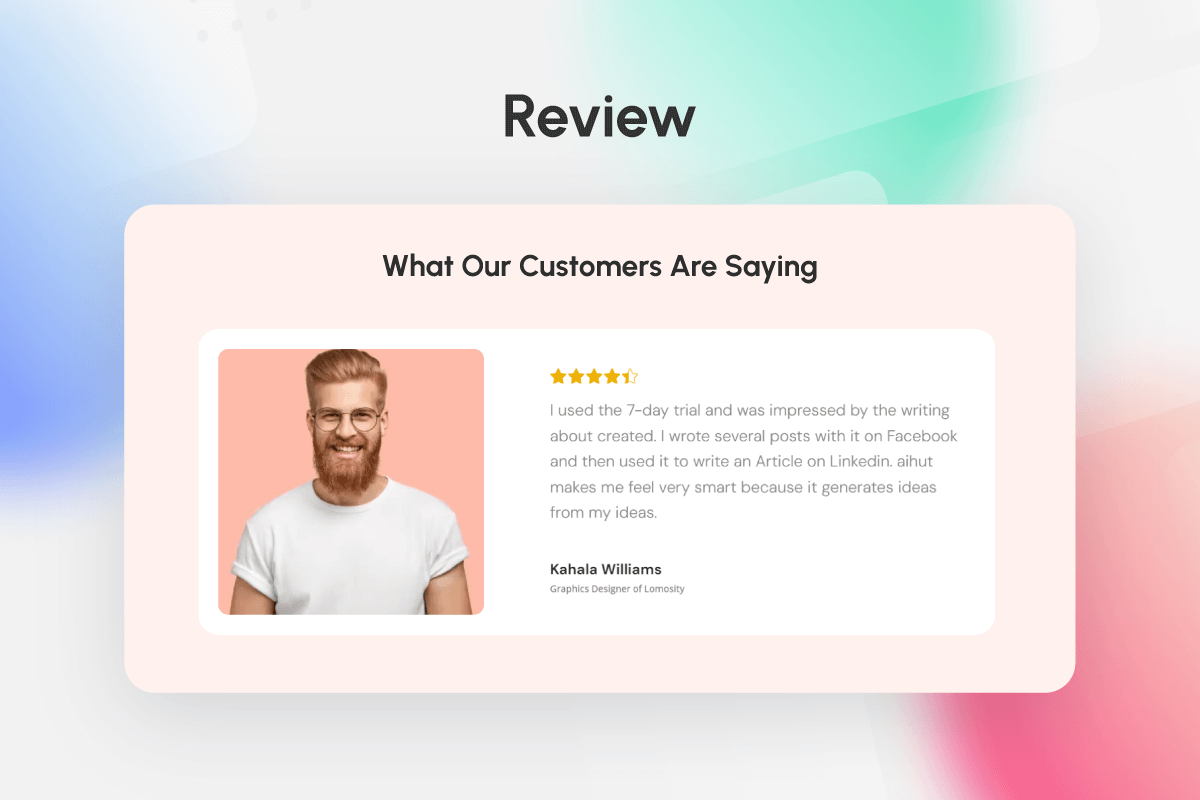
- রিভিউ Show structured reviews to build trust in your offerings.
- পপআপ বিল্ডার Build customized popups for leads or promotional announcements.
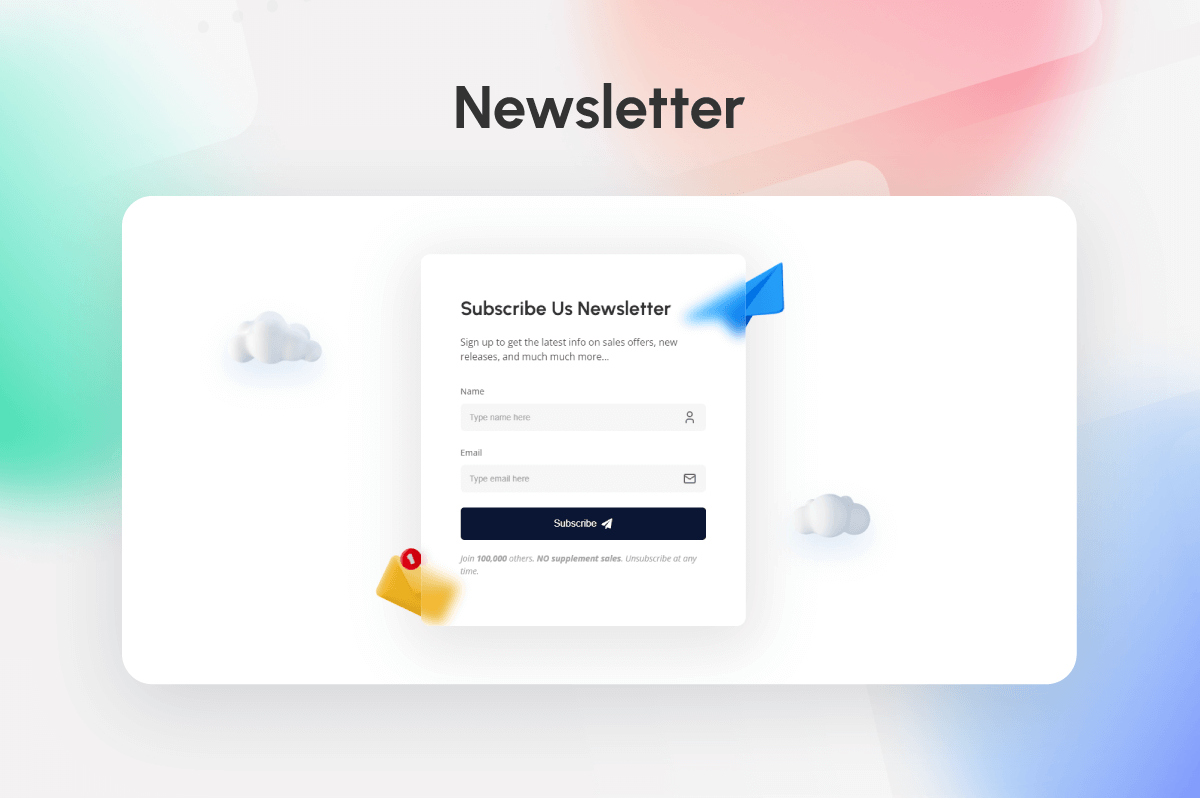
- নিউজলেটার Build and manage newsletters to engage and grow subscribers.
- মেগা মেনু Build your own navigation menu.
- ট্যাবস Add interactive tabs for organized content navigation.
- Radio Field Customizable radio fields for forms or surveys.
- ব্রান্ড গ্রিড একটি ক্লিন, কাস্টমাইজযোগ্য গ্রিডের মাধ্যমে ব্র্যান্ড অংশীদারদের প্রদর্শন করুন।
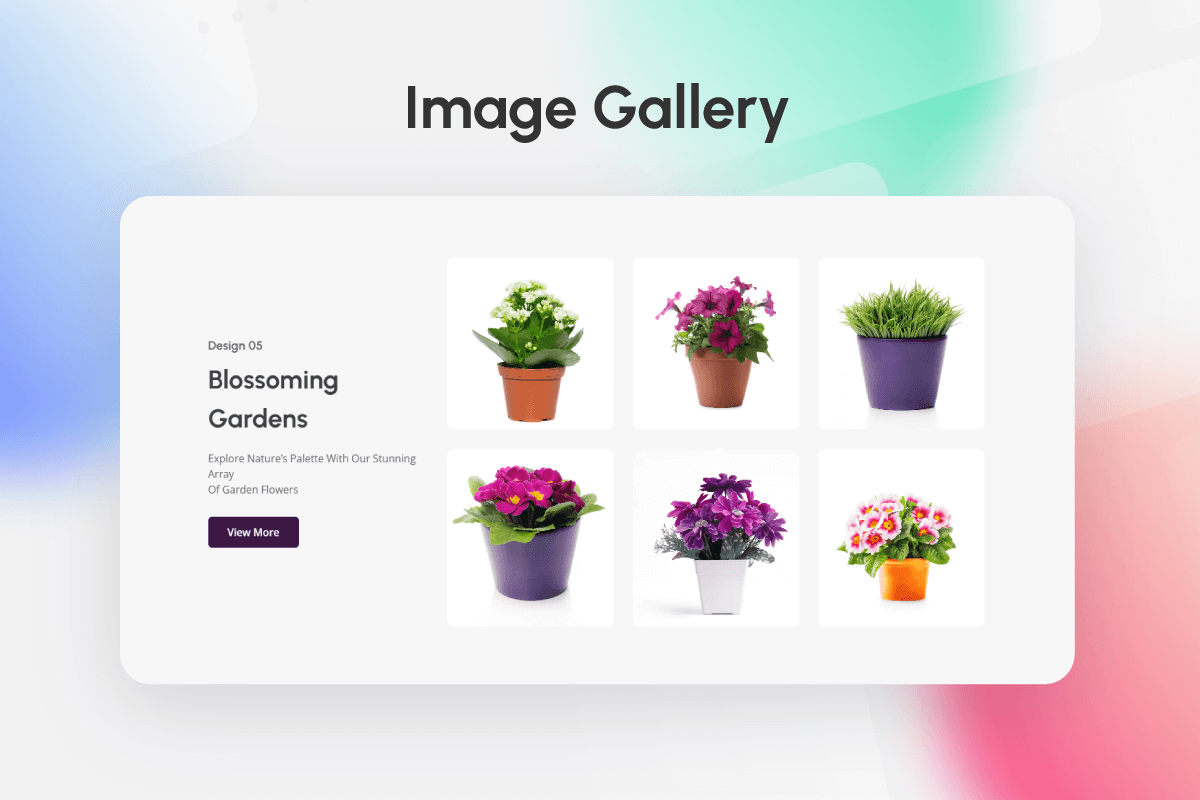
- ইমেজ গ্যালারী Design responsive image galleries with consistent site design.
- ই-মেইল নিউজলেটার সাইন-আপ বা পরিচিতির জন্য ইমেল ইনপুট ক্ষেত্র।
- ভিডিও Video Block
- আইকন Add custom icons to enhance visual appeal and functionality.
- ইমেজ কম্পেয়ার Compare images side-by-side with a responsive slider.
- Progress Pie Show progress with animated pies for data visualization.
- পোষ্ট কন্টেন্ট Dynamic post content for any landing page in WordPress
- QR কোড Generate customized, branded QR codes for links or text.
- বিজনেস Hours Display business hours with visually customizable options.
- ব্রেডক্রাম্বস Add clean breadcrumbs for better UX and SEO support.
- পোস্ট ক্যারোসেল Feature posts in an interactive, customizable carousel.
- কল টু অ্যাকশন ব্যবহারকারীর সম্পৃক্ততা এবং রূপান্তর বৃদ্ধির জন্য আকর্ষণীয় CTA ডিজাইন করুন।
- পোস্ট কমেন্টস ফর্ম Customizable dynamic post comment form for your website single post comments form
- Number Field Customizable text fields for forms or surveys.
- পোস্ট টাইটেল ওয়ার্ডপ্রেসে যেকোনো ল্যান্ডিং পেজের জন্য ডায়নামিক পোস্ট টাইটেল
- স্প্লাইন ভিউয়ার A block to display a 3D spline viewer
- ফেন্সি লিস্ট Design visually engaging lists with creative layouts.
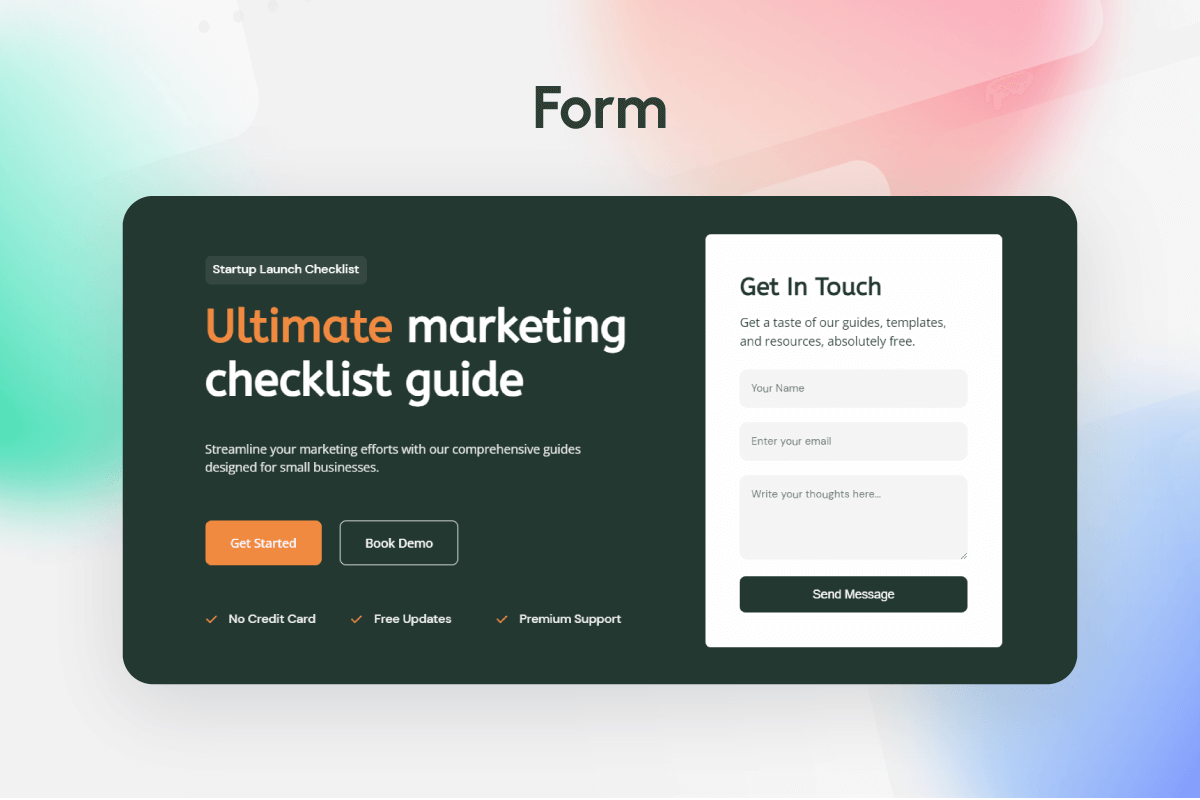
- Form Builder Create dynamic forms with customizable fields for data collection.
- অ্যাডভান্সড ইমেজ Add responsive, advanced features to enhance image presentations.
- সোশ্যাল কাউন্ট Display social follower counts with customizable styling.
- Checkbox Field Customizable text fields for forms or surveys.
- কাউন্টার মূল মেট্রিক্স বা অর্জনের জন্য ইন্টারেক্টিভ কাউন্টার প্রদর্শন করুন।
- পোষ্ট ফিচার্ড ইমেজ Customizable dynamic post featured image block for your website single page
- সোশাল লিংক Add social links to enhance connectivity with your audience.
- অ্যাডভান্স আইকন বক্স Enhance content with interactive, custom-designed icon boxes.
- Select Field Customizable select fields for forms or surveys.
- Flexbox Design flexible layouts using responsive flexbox containers.
- লিস্ট Design customizable lists with creative transitions and styles.
- লেখকগণ কাস্টমাইজযোগ্য লেআউট এবং বিশদ সহ লেখকের প্রোফাইল উপস্থাপন করুন।
- স্টার রেটিং Add star ratings to build credibility with visual feedback.
- Advanced Paragraph Advanced Paragraph block with custom styles
- টিম গ্রিড Showcase your team with customizable grid layout options.
- রিভিউ গ্রিড Showcase customer reviews in a clean, organized grid.
- সোশ্যাল শেয়ার Add social links to encourage content sharing.
- টেক্সট পথ Create interactive text paths for visually engaging effects.
- চার্টস Add dynamic, vibrant charts for clear data representation.
- অ্যাডভান্স হেডিঙ্ক Use advanced headings for impactful text design.
- ফ্লিপবক্স Design engaging flipbox layouts with interactive displays.
- রিভিউ ক্যারোসেল Display reviews in an interactive carousel format.
- গুগল ম্যাপ Embed Google Maps with customizable settings for easy access.
- পোস্ট ক্লাউড Add customizable tag clouds to enhance navigation and SEO.
- প্রোফাইল কার্ড Display team profiles with an interactive, engaging layout.
- আডভান্সড সার্চ উন্নত নেভিগেশনের জন্য একটি নমনীয় অনুসন্ধান বাক্স যোগ করুন।
- পোস্ট টাইমলাইন Visualize content history with customizable timelines.
- Cloud List Create an interactive 3D tag cloud sphere with custom list items using TagCanvas.
- প্রগ্রেস বার Show progress with animated bars for milestones or stats.
- পোস্ট ন্যাভিগেশন Customizable dynamic post navigation block for your website single page
- নোটিশ Create custom-styled notices for key site messages
- পোস্ট কমেন্টস Enable custom comments for increased engagement on posts.
- পোস্ট ক্যাটাগরি Customize and organize post categories for easy navigation.
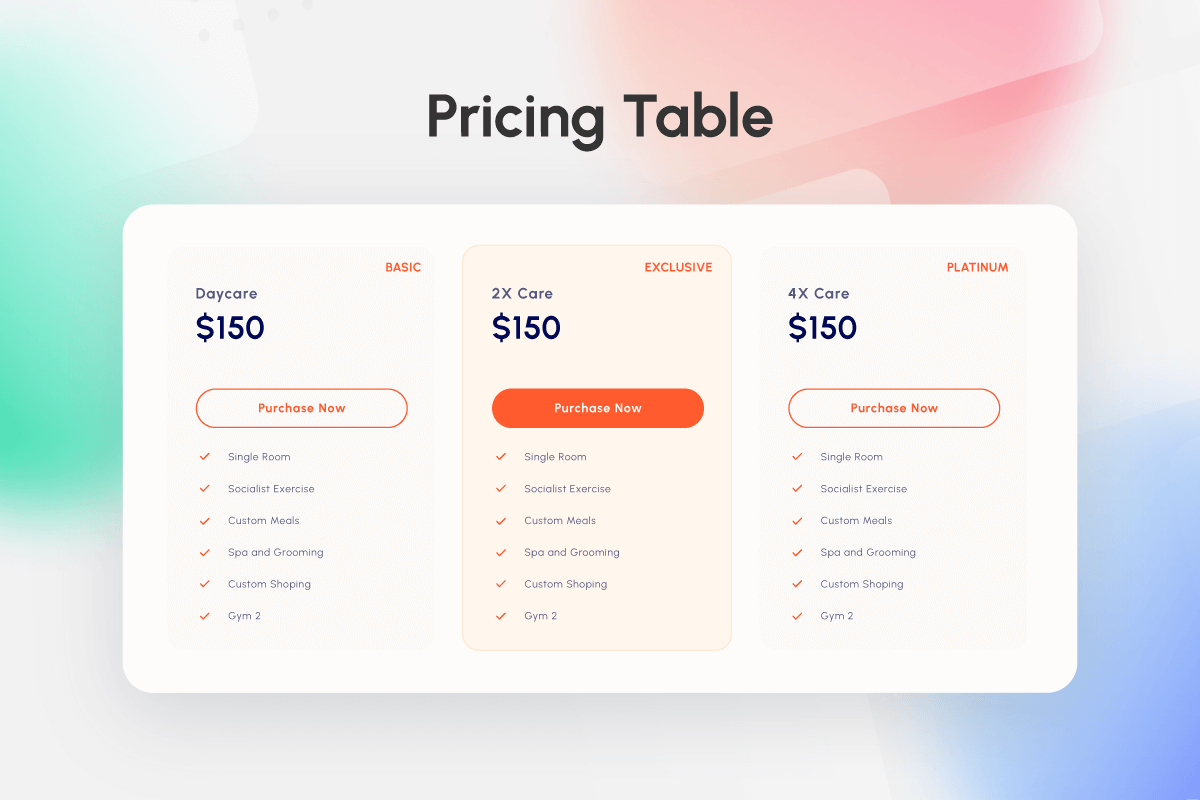
- প্রাইসিং টেবিল Showcase offerings with visually appealing pricing tables.
- কন্টেইনার Design flexible layouts using responsive flexbox containers.
- অ্যাকর্ডিয়ান Organize content with collapsible, easy-to-navigate sections.
- মেসেজ Capture messages seamlessly within the Form block.
- স্লাইডার Create immersive image sliders directly in Gutenberg editor.
- পোস্ট মেটা Dynamic post meta for side editor single page in WordPress
- Dual Button Display interactive dual buttons for key metrics or achievements.
- কাউন্টডাউন জরুরিতা যোগ করতে এবং ব্যস্ততা বাড়াতে ইভেন্ট কাউন্টডাউন তৈরি করুন।
- পোস্ট লিস্ট Display customizable post lists to optimize content visibility.
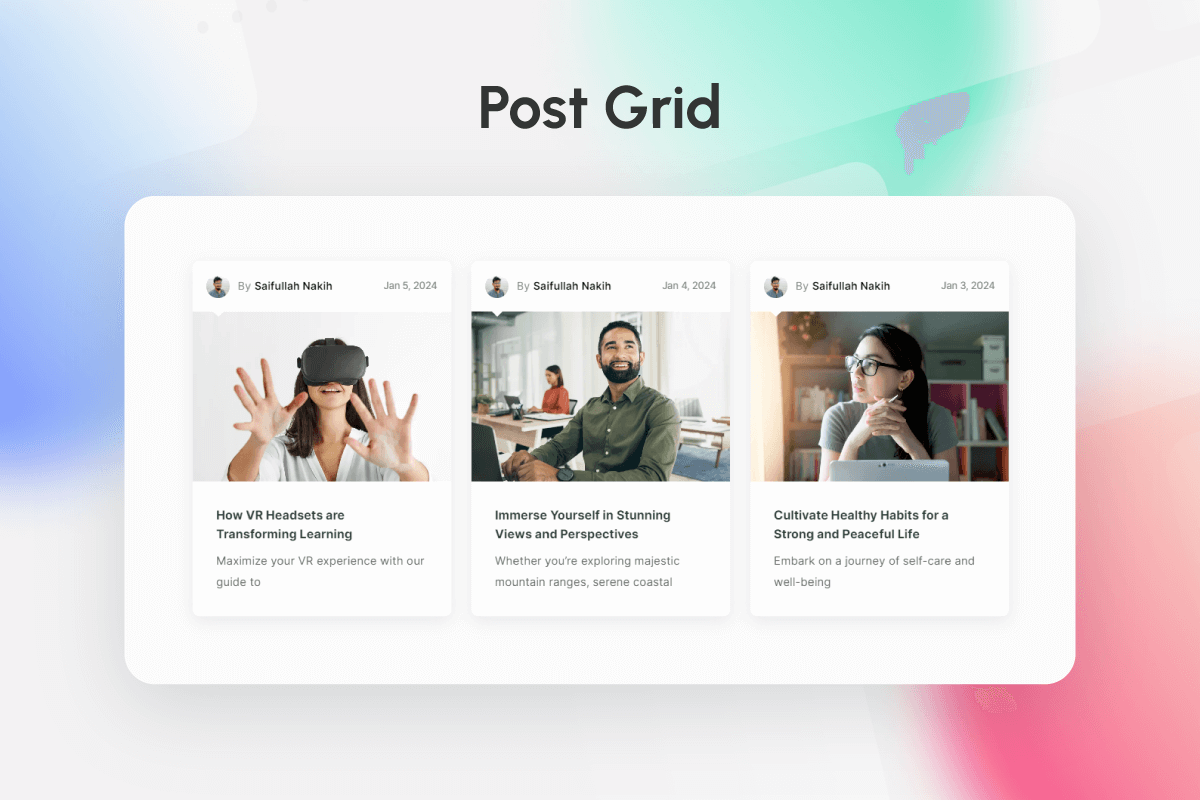
- পোস্ট গ্রিড Arrange posts in dynamic grids for organized content display.
- লাইটবক্স Create customizable lightboxes for media content.
- টেক্সট ফিল্ড Customizable text fields for forms or surveys.
- অ্যাডভ্যন্সড বাটন Use stylish button transitions for enhanced engagement.
- Table of Content Dynamic table of content block for any landing page in WordPress
- ইমেজ অ্যাকর্ডিয়ন লাপসিবল কন্টেন্ট সেকশনের জন্য অ্যাকর্ডিয়ন আইটেম যোগ করুন।
- স্লাইড Customize individual slides within the Slider block.
- ফেন্সি লিস্ট চাইল্ড সুসংগত উপস্থাপনার জন্য অভিনব তালিকায় আইটেম যোগ করুন।
- প্রোগ্রেস বার আইটেম Add individual progress elements to progress bar.
- মেগা মেনু Mega menu block for gutenberg.
- ট্যাব Add sections within Tabs for organized content.
- টিম চাইডস Add team members to the Team Grid layout.
- রিভিউ চাইল্ড Display individual reviews within the Review block.
- সোশ্যাল কাউন্ট চাইল্ড Display individual social counts with flexible design.
- Cloud List Item Add individual items to the Cloud List sphere.
- Mega Menu Item Build your own navigation menu.
- ব্রান্ড চাইল্ড ব্র্যান্ড গ্রিডের মধ্যে পৃথক ব্র্যান্ডগুলি প্রদর্শন করুন।
- Submenu Build your own navigation menu.
Installation
প্লাগইন ইনস্টলেশন পদ্ধতি:
- Go to the WordPress dashboard
- Got to the Plugins > Add New
- Type “ZoloBlocks” in the search box
- Click on “Install” button
- After install the plugin Activate the plugin
জিপ ফাইলের মাধ্যমে ইনস্টলেশন:
- Download ZoloBlocks block plugin zip file from WordPress
- Go to site Dashboard > Plugins > Add New > Upload Plugins
- Select the ZoloBlocks zip file and proceed to install
- Activate ZoloBlocks.
প্লাগিন সেটিংস:
- জোলোব্লকস ড্যাশবোর্ড থেকে প্রয়োজনীয় বৈশিষ্ট্যগুলি চালু/বন্ধ করুন (বেশিরভাগ বৈশিষ্ট্য ডিফল্টরূপে চালু থাকে)
FAQ
-
প্লাগইন কি বৈশিষ্ট্য অফার করে?
-
জোলোব্লকস আপনার ওয়েব ডিজাইনের অভিজ্ঞতা বাড়ানোর জন্য ডিজাইন করা বিভিন্ন বৈশিষ্ট্য সরবরাহ করে। এর মধ্যে কাস্টমাইজযোগ্য ব্লক, লেআউট, নিদর্শন, ড্র্যাগ-অ্যান্ড-ড্রপ ইন্টারফেস, উন্নত স্টাইলিং বিকল্প, নমনীয়তা, প্রতিক্রিয়াশীলতা এবং আরও অনেক কিছু অন্তর্ভুক্ত রয়েছে।
-
জোলোব্লকস কি সমস্ত ওয়ার্ডপ্রেস থিমের সাথে কাজ করে?
-
Most certainly all WordPress themes are compatible with the ZoloBlocks framework as the plugin is built for maximum compatibility with WordPress itself.
-
আপনি যদি প্রো প্লাগইন সংস্করণে আপগ্রেড করেন তবে আপনি আরও অনন্য বৈশিষ্ট্য এবং কাস্টমাইজেশন আনলক করবেন। উপরন্তু, আপনি টিম বিডিথিমস থেকে ব্যক্তিগতকৃত সমর্থন পেতে সক্ষম হবেন।
-
এটি ব্যবহার করার জন্য আমার কি কোনও পেজ নির্মাতা (যেমন এলিমেন্টর / ডিভি) দরকার?
-
না। এই প্লাগ দিয়ে, আপনি আসলে সব জনপ্রিয় পৃষ্ঠা নির্মাতা প্লাগইন প্রতিস্থাপন করা হবে. সর্বোপরি, আপনি গুটেনবার্গ পরিবেশে অনুরূপ এখনও দ্রুত এবং আরও শক্তিশালী কাস্টমাইজেশন অভিজ্ঞতা উপভোগ করতে পারেন।
-
এটি অন্যান্য গুটেনবার্গ প্লাগইনের সাথে কি সংঘর্ষ হতে পারে?
-
এই প্লাগইনটি অন্য কোন গুটেনবার্গ বা পেজ বিল্ডার প্লাগইনের সাথে বিরোধ করবে না। তদুপরি, ডেভেলপাররা ধারাবাহিকভাবে মান বজায় রাখছে যাতে কোনও দ্বন্দ্ব না ঘটে।
-
জোলোব্লকস কি আপডেটের পরে আমার সাইটটি ভেঙে দেবে?
-
নেটিভ গুটেনবার্গ প্লাগইন হিসাবে, জোলোব্লকস নতুন আপডেটের পরে আপনার সাইটটি ভাঙে না। তবে, প্লাগইনটি সঠিকভাবে আপডেট করতে ব্যর্থ হলে একটি বিরল ঘটনা ঘটতে পারে। আপনি যদি এই জাতীয় সমস্যার মুখোমুখি হন তবে দয়া করে পূর্ববর্তী সংস্করণে ফিরে যান এবং সহায়তার জন্য সহায়তার সাথে যোগাযোগ করুন।
-
কতক্ষণ আমি সমর্থন এবং আপডেট পাব?
-
যতদিন প্লাগইনটি মানুষের চাহিদা মেটাতে থাকবে ততক্ষণ আপনি সমর্থন পেতে থাকবেন। এছাড়াও, আমরা পণ্যের গুণমান বজায় রাখতে ঘন ঘন আপডেটের প্রতিশ্রুতি দিই। সুতরাং, আপনি প্লাগইনের জন্য একটি ভাল নির্ধারিত আপডেট আশা করতে পারেন।
-
আমি কি আমার ভাষায় জোলোব্লকস অনুবাদ করতে পারি?
-
হ্যাঁ, আমাদের প্লাগইন ওয়ার্ডপ্রেসের শুরু থেকেই থেকে উন্নত একটি প্রশংসা হিসাবে বহুভাষিক সমর্থন উপলব্ধ করা হয়.
-
আমি কি জোলোব্লকগুলি হোয়াইট লেবেল করতে পারি?
-
The White Label option can only be enjoyed by paid customers belonging to a specific tier mentioned in the plugin’s Terms of Use.
-
আমরা কি নিকট ভবিষ্যতে আরও উইজেট পেতে পারি?
-
অবশ্যই। ঘন ঘন প্লাগইন আপডেটের মধ্যে নতুন বৈশিষ্ট্য আসবে। এছাড়াও, আপনি আমাদের কাছে বৈশিষ্ট্য এবং আপনার মতামত প্রস্তাব করে অবদান রাখতে পারেন।
-
আমি কি ক্লায়েন্ট সাইটগুলিতে জোলোব্লকস ব্যবহার করতে পারি?
-
প্লাগইনটি তাদের ফ্রিল্যান্সার-ক্লায়েন্ট সম্পর্ক নির্বিশেষে সমস্ত ওয়ার্ডপ্রেস ব্যবহারকারীদের দ্বারা ব্যবহার করার জন্য উন্নত করা হয়েছে। এবং প্লাগইনের প্রদত্ত স্তরগুলি বিশেষত ক্লায়েন্ট-ভিত্তিক ওয়েব পরিষেবাদি দেওয়ার জন্য ডিজাইন করা হয়েছে।
-
প্লাগইন ওয়ার্ডপ্রেস দক্ষতা প্রয়োজন?
-
No. In fact, it might be your first day at WordPress and you are using ZoloBlocks for the first time. Still, you will be able to grasp all the features and functionality of the plugin shortly. We also have documentation, feature videos, and Live Chat support to further guide you.
-
আমি প্লাগইন ইনস্টল করলে কি আমার সাইটটি ধীরে ধীরে লোড হবে?
-
আপনার ওয়েবসাইট ধীর হওয়ার কোন সম্ভাবনা নেই। জোলোব্লকস কেবলমাত্র তাজা সবুজ কোড সহ একটি লাইটওয়েট ফ্রেমওয়ার্ক বাড়ায়। সর্বোত্তম জিনিসটি ঘটতে পারে যে আপনার সাইটটি আরও দ্রুত এবং আরও সুন্দর হয়ে উঠবে।
-
প্লাগইন এসইও উন্নতি প্রদান করে?
-
হ্যাঁ, প্লাগইনটি আপনাকে সহজেই আপনার সমস্ত এসইও লক্ষ্য সংগ্রহ করতে দেওয়ার জন্য অপ্টিমাইজ করা হয়েছে। শক্তিশালী ওয়ার্ডপ্রেস সামঞ্জস্যের সাথে, প্লাগইনটি জনপ্রিয় এসইও প্লাগইনগুলির পাশাপাশি কাজ করতে পারে এবং আপনার সাইটের র্যাঙ্কিং ভালভাবে সংরক্ষিত রয়েছে তা নিশ্চিত করে।
-
এতে কি আমার সাইট স্লো হয়ে যাবে?
-
একদমই নয়। আমরা আরও ভাল পারফরম্যান্সের জন্য এই সমস্ত ব্লকগুলি অনুকূলিত করেছি।
-
Where do I report security bugs found in this plugin?
-
Please report security bugs found in the source code of the ZoloBlocks plugin through the Patchstack Vulnerability Disclosure Program. The Patchstack team will assist you with verification, CVE assignment, and notify the developers of this plugin.
Reviews


ডেভেলপার এবং কন্ট্রিবিউটর
“ZoloBlocks – Advanced Gutenberg Blocks, Website Builder & Page Design Toolkit” is open source software. The following people have contributed to this plugin.
কন্ট্রিবিউটর


“ZoloBlocks – Advanced Gutenberg Blocks, Website Builder & Page Design Toolkit” has been translated into 5 locales. Thank you to the translators for their contributions.
ডেভেলপমেন্ট এ আগ্রহী?
Browse the code, check out the SVN repository, or subscribe to the development log by RSS.
Changelog
2.8.2 [October 25, 2026]
Performance
- Block styles now load in the page head on classic themes, removing the layout shift (CLS) caused by styles printed in the footer.
Added
zolo_print_styles_in_headfilter to keep the old footer-only style output on classic themes.
2.8.1 [October 20, 2026]
Added
- BdThemes deals notice on the Dashboard, Plugins screen and plugin dashboard; “Don’t Show Again” hides it in every BdThemes plugin
- Up To 86% Off menu in the free version, linking to the BdThemes deals page
2.8.0 [October 19, 2026]
Security
- Fixed a potential stored XSS from Image Gallery captions shown in the lightbox.
- Stopped exposing the Google Maps API key on front-end pages that have no Map block.
- Capped posts-per-page in the posts REST endpoint so it can no longer be asked for unbounded results.
Performance
- Popup Builder no longer runs two unbounded post queries on every page; they run only when a popup exists.
Bug Fixes
- Post Grid: Fixed a console error from the category-filter request when no matching terms exist.
Compatibility
- Raised the minimum WordPress version to 6.2 (required by the HTML Tag Processor used for block output) and aligned the version guard.
2.7.12 [September 21, 2026]
Security
- Hardened form validation, block output escaping, and internal safeguards.
Bug Fixes
- Dashboard: Fixed a JavaScript error thrown by the “settings saved” notice.
- Editor: Fixed a console error from the popup script when no popup is present.
- Post Category: Fixed the block rendering empty on pages by falling back to all categories when the current post has none.
- PHP 8: Fixed “undefined array key” warnings while rendering the Author, Post Category, Tag Cloud and Post Comments blocks.
- Search: Fixed double-escaping in the block search query and added proper LIKE escaping.
- Compatibility: Fixed the navigation block output and a version-string comparison issue.
Improvements
- Namespaced class guards to prevent fatals when another plugin uses the same class name.
- Added direct file access protection to internal files and removed an unused duplicate settings file.
2.7.11 [September 3, 2026]
Bug Fixes
- Typography Control: Fixed the Font Family and Weight fields being squeezed by their labels in the block editor sidebar.
2.7.10 [September 1, 2026]
Improvements
- Google Fonts: Font list now loads through the WordPress Font Library.
- Security: Added direct file access protection to internal PHP files.
- Compatibility: Tested up to WordPress 7.1.
2.7.9 [August 12, 2026]
Improvements
- Performance: Enhanced overall plugin performance and stability for smoother interactions.
2.7.8 [July 26, 2026]
Improvements
- Dashboard UI: Optimized the dashboard interface for mobile devices with an improved responsive layout that adapts across screen sizes.
2.7.7 [June 21, 2026]
Bug Fixes
- Dashboard UI: Fixed an issue where the bottom blocks were hidden behind the fixed ‘Save Changes’ footer.
Improvements
- Performance: Enhanced overall plugin performance and stability for smoother interactions.
2.7.6 [May 23, 2026]
Bug Fixes
- Editor Controls: Fixed broken control styles (header tabs, iconic button group, reset button, icon picker) in the block editor sidebar.
2.7.5 [May 10, 2026]
Improvements
- Performance: Enhanced overall plugin performance and stability for smoother interactions.
2.7.4 [April 26, 2026]
Compliance
- Trialware: Pro features (blocks and extensions) are no longer rendered as locked entries inside the active Blocks/Extensions lists. They now appear only on a dedicated “Upgrade” tab as plain marketing text, with no toggles.
- Pro registry split:
includes/Extensions/extensions.phpandincludes/Blocks/Blocks.phpcontain only fully functional free entries. Pro marketing metadata moved toincludes/Extensions/pro-extensions.phpandincludes/Blocks/ProBlocks.php. - Phone home: Removed unused
biggopti.js/biggopti.cssadmin assets. - Security: Removed
'sslverify' => falsefrom outbound HTTP requests in the Mailchimp integration and Zolo AI client; SSL verification is now enabled by default for all external calls. - Disclosure: Added Mailchimp and Custom Webhook entries to the readme
== External services ==section. - Readme: Trimmed promotional cross-promo sections.
2.7.3 [April 23, 2026]
Compliance
- WordPress.org review: Form “Save response” and “Save & send” actions work in this plugin without a separate Pro plugin; form entries are available under Form Entries in the admin menu.
- Privacy: Google Fonts catalog fetch from WordPress.org is off by default and can be enabled under ZoloBlocks Settings Editor Options.
- Privacy: Removed promotional admin script code that called a remote recommendations API.
- Security: Escaped block render output and dynamic CSS where flagged; reCAPTCHA site key is escaped in the form block output filter.
- Readme: Documented opt-in for the Google Fonts list; clarified Sigmative privacy link.
2.7.2 [April 20, 2026]
Compliance / Improvements
- Plugin Name: Renamed display title to “ZoloBlocks” to follow WordPress.org plugin naming guidelines.
- Readme: Rewrote description to remove promotional and keyword-stuffed language.
- Readme: Added “External services” section documenting every third-party service used by the plugin, along with terms and privacy policy links.
- Readme: Added “Source code” section with build instructions and a link to the public source repository.
- Settings: Added proper
sanitize_callbackto everyregister_setting()call in the admin Settings. - Admin Menu: Lowered the top-level ZoloBlocks admin menu position so it no longer competes with WordPress core items.
2.7.1 [March 17, 2026]
Improvements
- Typography: Enhanced typography controls and consistency across all blocks. Full Google Fonts library is now available in the typography control.
- Heading Block: Added margin options for improved spacing control.
- List Block: Introduced heading option for better content organization.
Tweaks
- List Block: Removed default Facebook icon from the repeater control.
2.7.0 [March 10, 2026]
New Features
- Tag Cloud Block: Introduced animated skin for enhanced visual appeal.
- List Block: Added badge color options and gap control for improved customization.
- Counter Block: Added hover controls for interactive styling.
- Pricing Table Block: Added list color, background color, and vertical alignment controls.
- Tabs Block: Added new border style option to the Vertical layout.
- Advanced Heading: Added additional separator options for greater layout flexibility.
- Post List Block: Added read more options for better content display.
Bug Fixes
- Advanced Icon Box Block: Fixed image radius issue in Preset Style 3.
- Navigation Block: Resolved submenu not opening issue.
- Lightbox Block: Fixed animation color issue.
- Advanced Icon Box Block: Fixed image size issue in Preset Style 1 and mobile margin issue.
- Review Carousel Block: Resolved pagination issue.
- Video Block: Fixed video link functionality issue.
- Post Carousel Block: Fixed column number issue.
- Review Carousel Block: Fixed column number issue.
- Post Timeline Block: Fixed pagination issue.
- Media Upload Control: Resolved control not working issue.
- All Blocks: Fixed box sizing issue.
- General: Fixed responsive issues and plugin checker compatibility.
- Multi Block Selection: Fixed error occurring when selecting multiple blocks simultaneously.
- Review Carousel Block: Fixed padding inconsistency affecting layout display.
Improvements
- Optimized overall plugin performance for faster loading and smoother interactions.
- Enhanced Review Carousel, Progress Pie, and Post List blocks with improved UI and functionality.
- Improved Video, Social Share, and Team blocks performance (resolved block recovery issues).
- Replaced image size control with height and width controls in Advanced Icon Block.
- Refined control UI across multiple blocks for better user experience.
2.6.0 [February 05, 2026]
New Features
- Class Manager: Introduced for easy customization.
- Flexbox Block: Extended with overflow option.
Bug Fixes
- Table of Content Block: Resolved various issues.
- Post Category Block: Added style 4 preset.
- Advanced Heading Block: Fixed spacing issue.
2.5.2 [January 13, 2026]
Improvements
- User Interface: Resolved minor inconsistencies for improved user experience.
2.5.1 [January 6, 2026]
New Features
- Image Block: Added Custom Masking option. (pro)
Bug Fixes
- Dual Button: Fixed color issue.
ডিটেইলস changelog here