

Description
Development of this plugin is done on GitHub. Pull requests welcome. Please see issues reported there before going to the plugin forum.
Screenshots
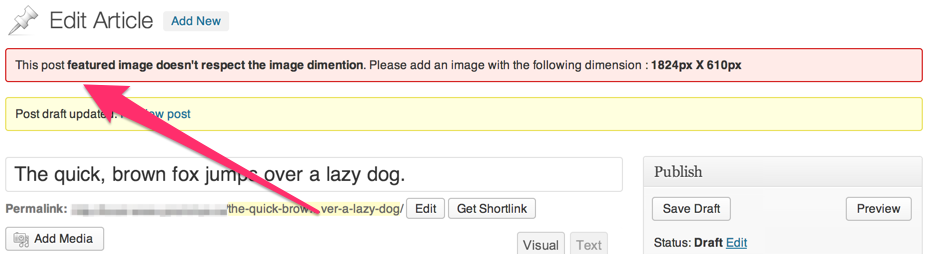
Installation
- Upload
force-featured-imageto the/wp-content/plugins/directory - Activate the plugin through the ‘Plugins’ menu in WordPress
This plugin lets you specify which post-type requires to force a featured image to. It will also let you specify minimum dimensions for the image. Let’s say, for example, you want to force a user to set an image on the default post type with the following dimensions (400px * 400px). Put this code in the function.php of your theme :
function theme_force_featured_image( $options ){
    $options['post'] = array(
        'width'  => 400,
        'height' => 400,
    );

    return $options;
}
add_filter( 'force_featured_image_post_type', 'theme_force_featured_image' );
Reviews
There are no reviews for this plugin.
ডেভেলপার এবং কন্ট্রিবিউটর
“Force Featured Image” is open source software. The following people have contributed to this plugin.
কন্ট্রিবিউটর


Translate “Force Featured Image” into your language.
ডেভেলপমেন্ট এ আগ্রহী?
Browse the code, check out the SVN repository, or subscribe to the development log by RSS.
Changelog
0.2.0
- Add the ability to force a featured image with dimensions
0.1.0
First Release