

Description
Wallet Up is the easiest way to accept peer-to-peer payments on WordPress. Add Cash App, Venmo, PayPal, Zelle, and Meta Pay to any page, post, or WooCommerce checkout with a simple shortcode or the built-in payment gateway.
Customers scan a QR code or click a payment link — no merchant account, no monthly fees, no middleman. Payments go directly to your Cash App, Venmo, PayPal, or Zelle account.
Accept Cash App Payments on WordPress
Generate a Cash App QR code that customers scan to pay you instantly. Works on any page via shortcode or at WooCommerce checkout as a payment gateway.
Accept Venmo Payments on WordPress
Add Venmo as a payment option with auto-generated QR codes and deep links that open the Venmo app directly on mobile devices.
Accept PayPal Payments Without a Business Account
Use your personal PayPal.me link to accept payments via QR code. No PayPal Business account or API keys required.
Accept Zelle Payments on WordPress
Bank-specific QR codes that open directly in your customer’s banking app — Chase, Bank of America, Wells Fargo, Citi, Capital One, and more.
WooCommerce Payment Gateway
Wallet Up registers as a full WooCommerce payment gateway. Customers select their preferred payment method at checkout, scan the QR code, and confirm payment. Orders are tracked automatically.
- Grouped mode — all methods under one “Wallet Up” gateway
- Individual mode — each method as its own checkout option
- Mixed mode — choose which methods appear individually vs. grouped
- WooCommerce Blocks — fully compatible with the new block-based checkout
- Per-method discounts — offer percentage or fixed discounts for specific payment methods
- Custom titles, descriptions, and instructions per payment method
QR Code Payments
Every payment method automatically generates a scannable QR code. Customers scan with their phone camera — no app download required. QR codes are styled to match your brand with customizable colors, sizes, and logos.
Block Editor
Wallet Up adds four blocks to the WordPress editor. Open any page or post, click the + button, and search “Wallet Up”:
- Payment Button — a single button that opens the payment app.
- Payment QR Code — a scannable QR for the page or for print.
- Tip Jar — preset amounts ($3 / $5 / $10) plus a custom amount field.
- Pay Link — a plain text link, ideal for navigation menus or footers.
Or use shortcodes
Prefer the classic editor? Every block is also available as a shortcode:
[walletup method="cashapp" amount="25"]
[walletup method="venmo" amount="50"]
[walletup method="paypal" amount="100"]
Who Is Wallet Up For?
- Freelancers — add a payment QR code to your portfolio or invoicing page
- Small businesses — accept mobile payments without processing fees
- Nonprofits — collect donations via Cash App, Venmo, or PayPal
- WooCommerce stores — offer Cash App and Venmo alongside traditional payment gateways
- Service providers — let clients pay via QR code after a consultation
- Event organizers — collect registration fees or ticket payments
- Content creators — accept tips and support from your audience
Pro Features
Upgrade to Wallet Up Pro for advanced capabilities:
- 20 payment methods — add Bitcoin, Ethereum, USDT, USDC, BNB, Dogecoin, and 7 African mobile money providers
- Advanced QR Code Studio — custom logos, colors, styles (rounded, dot, circular), SVG export
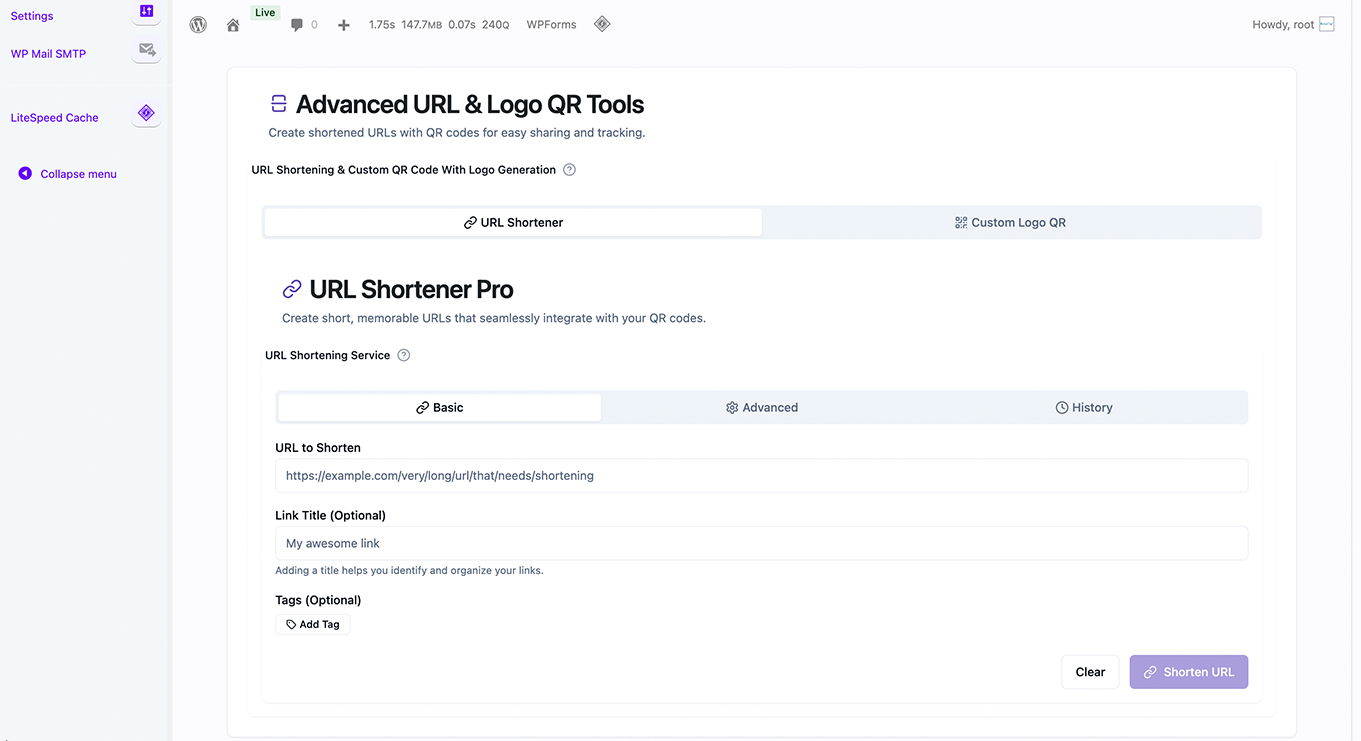
- URL Shortener — branded short links with real-time click analytics
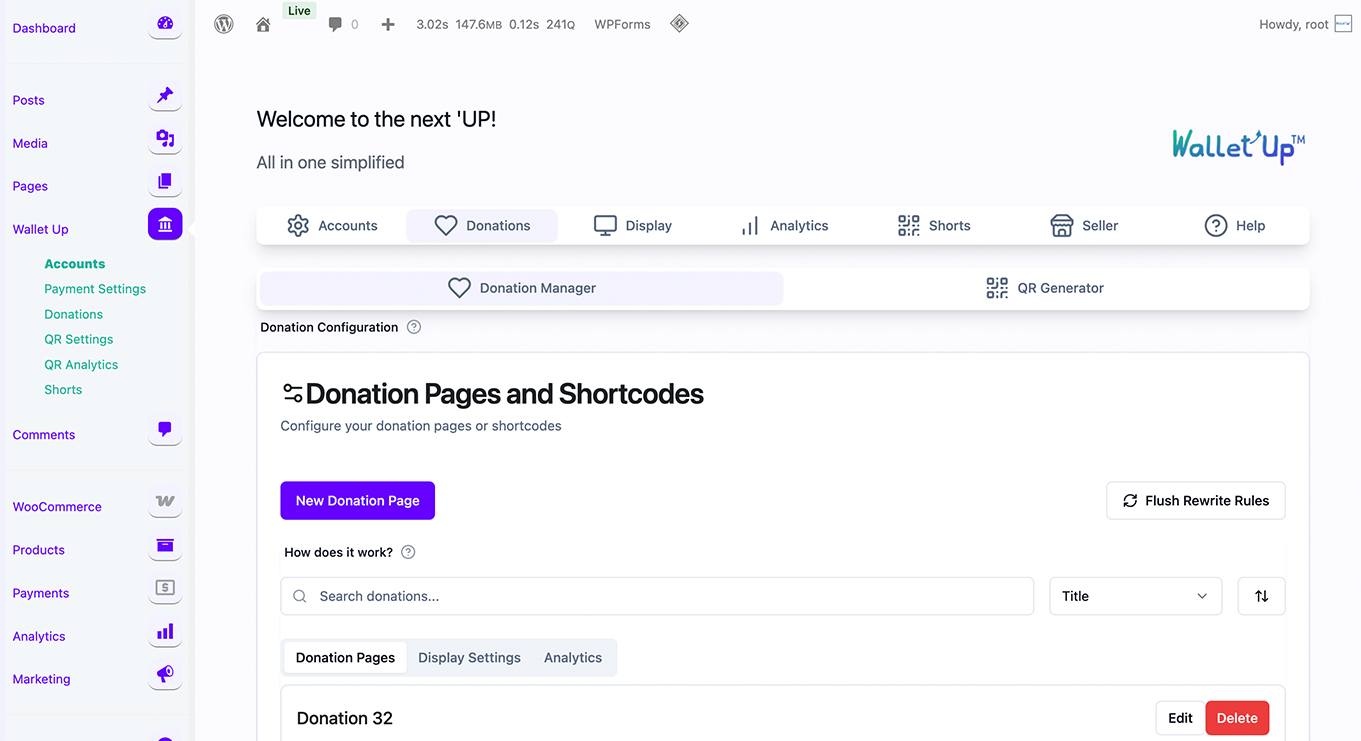
- Donation System — customizable donation pages with campaigns, donor management, and tax receipts
- WPForms Integration — add payment options to any form
- Digital Business Cards — scannable vCards with embedded payment links
- Analytics Dashboard — track QR scans, link clicks, impressions, and conversion rates
- Per-method checkout customization — discount badges, custom order statuses, min/max amounts
- Automated payment verification — Stripe card payments with 3D Secure
- Mobile Money for Africa — M-Pesa, Orange Money, MTN MoMo, Wave, Airtel Money, and more
Privacy Policy
Wallet Up respects user privacy:
- No personal data is collected beyond what payment functionality requires
- Analytics data is stored locally on your server
- No data is sent to external services without consent
- QR codes are generated server-side — no third-party QR APIs
- All tracking features can be disabled
For privacy questions, contact privacy@walletup.app.
Disclaimers
Wallet Up is not affiliated with, endorsed by, or sponsored by any payment provider. All trademarks belong to their respective owners.
Cash App is a trademark of Block, Inc. Venmo and PayPal are trademarks of PayPal, Inc. Zelle is a trademark of Early Warning Services, LLC. Meta Pay is a trademark of Meta Platforms, Inc.
Screenshots
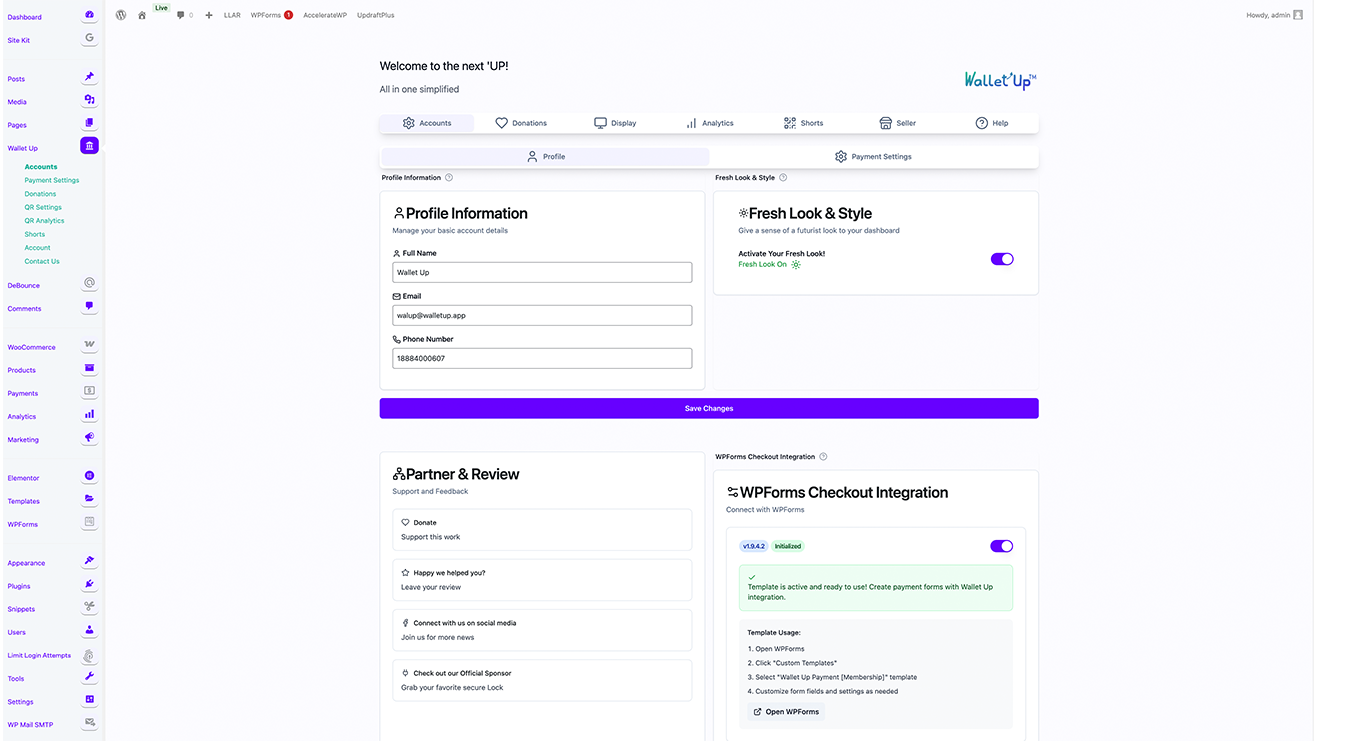
Admin Dashboard — configure payment methods in seconds 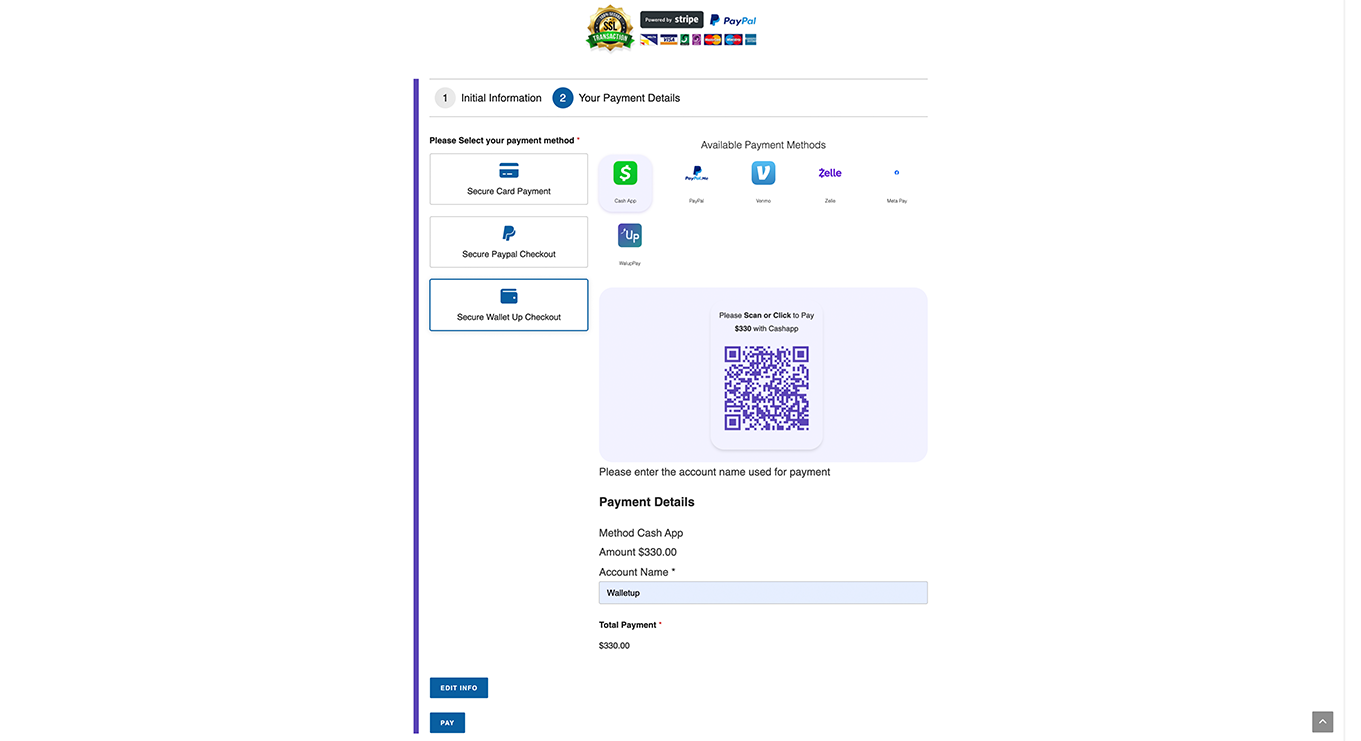
WooCommerce Checkout — Cash App, Venmo, PayPal as payment options 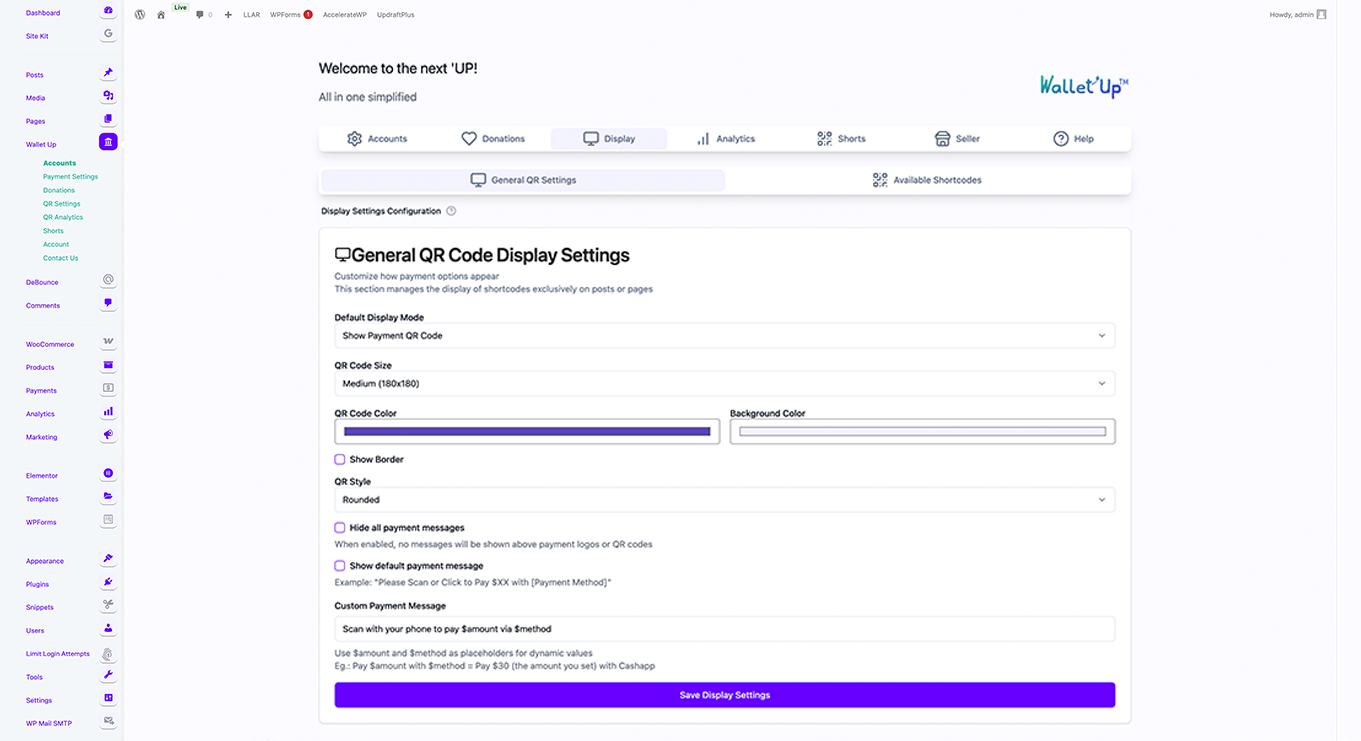
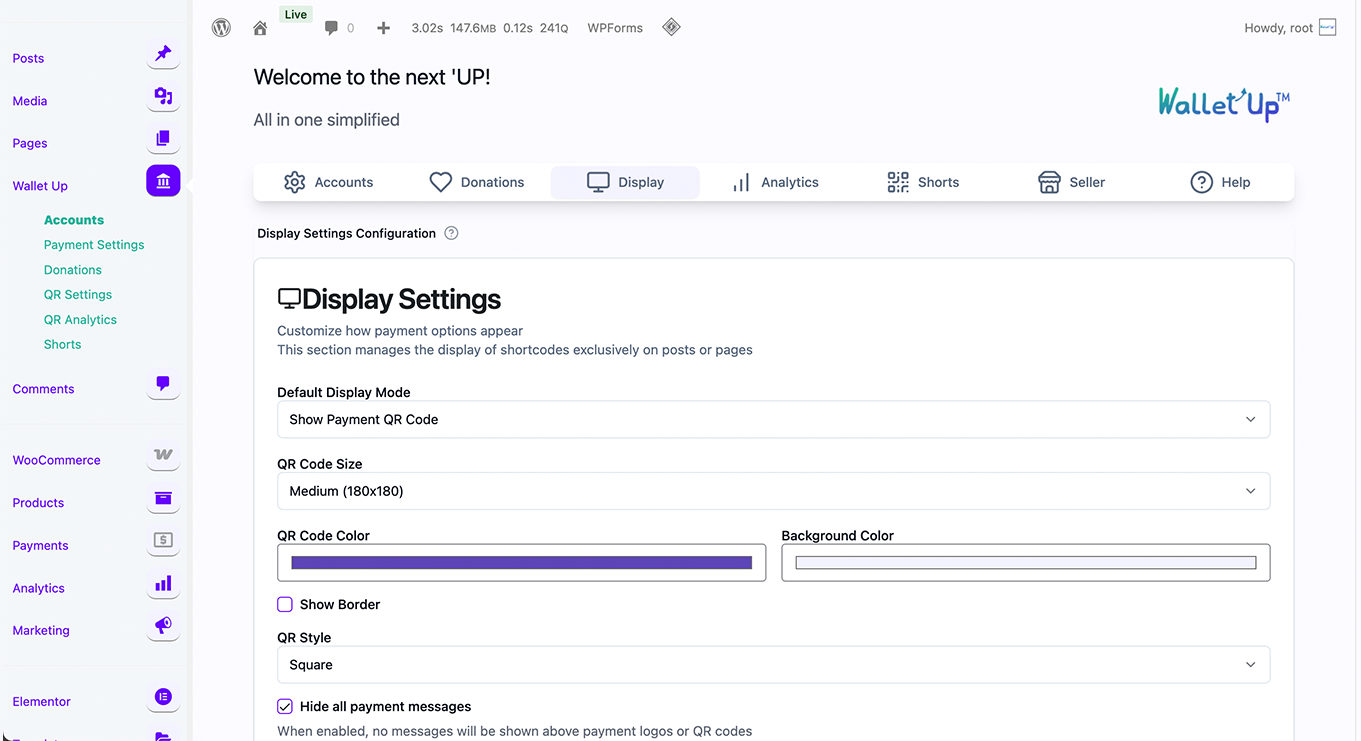
QR Code Payment Display — customers scan to pay 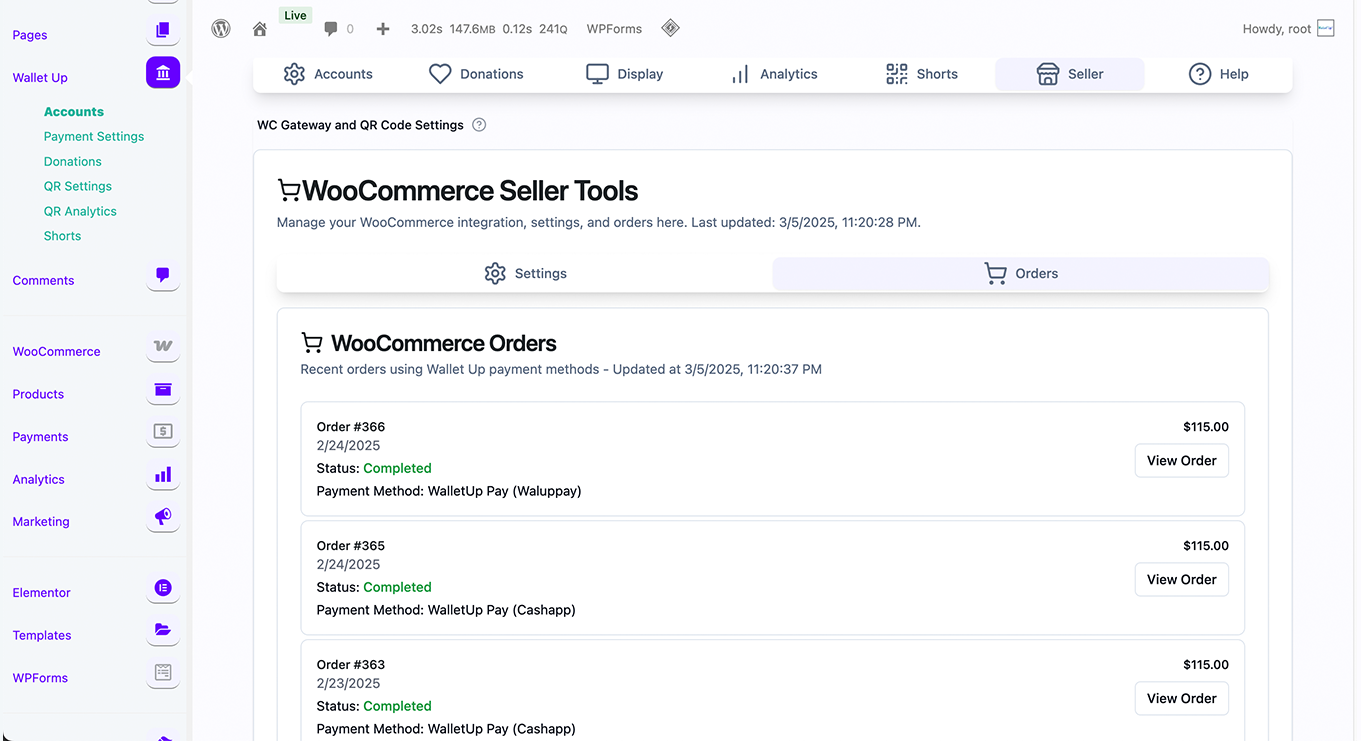
Payment Method Configuration — enter your username, done 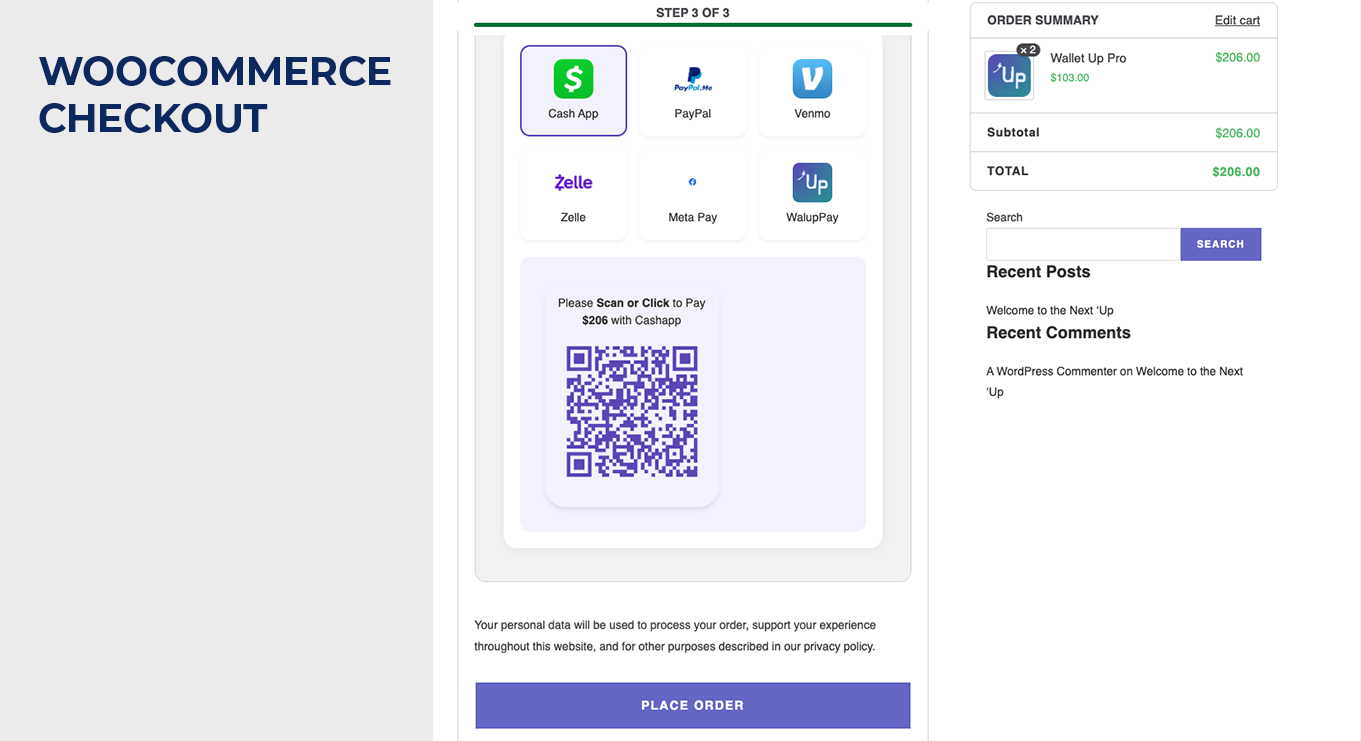
WooCommerce Thank You Page — order confirmation with QR code 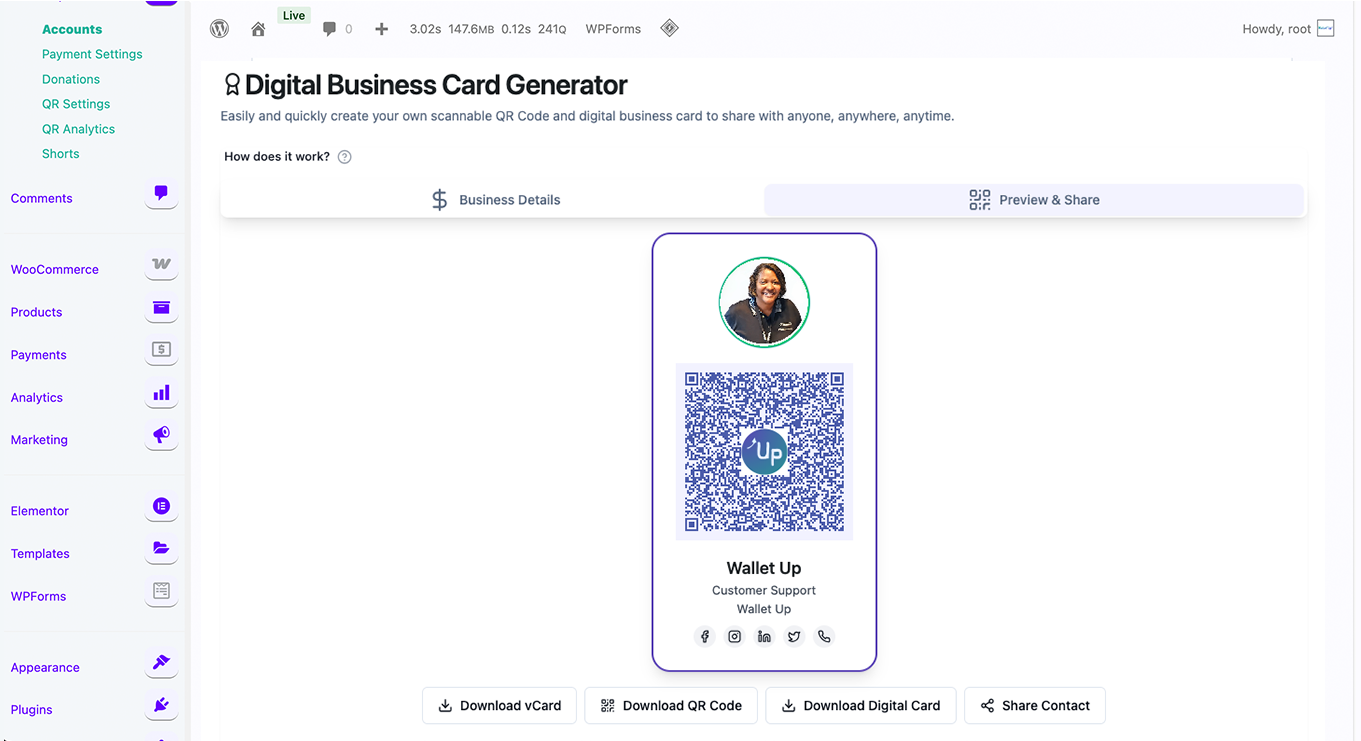
Shortcode Builder — generate embed codes for any page 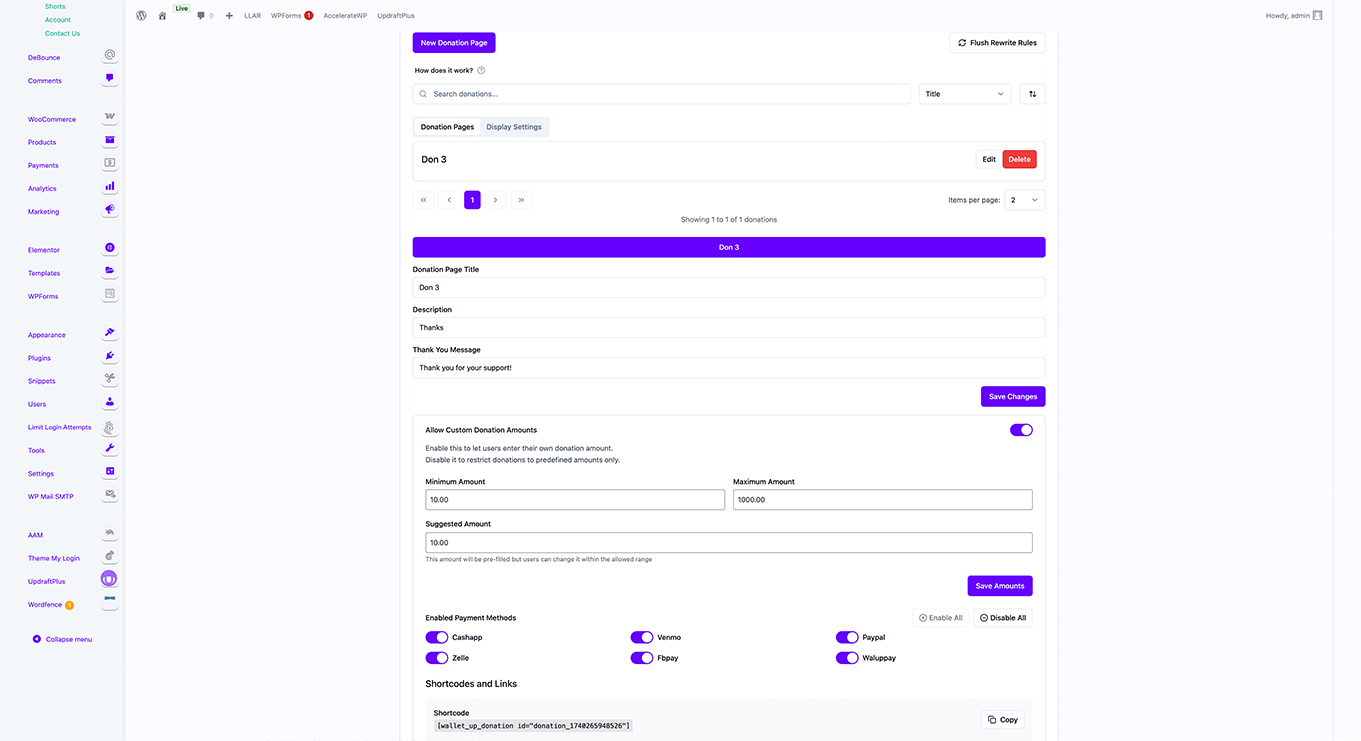
Advanced QR Code Studio — custom logos, colors, and styles (Pro) 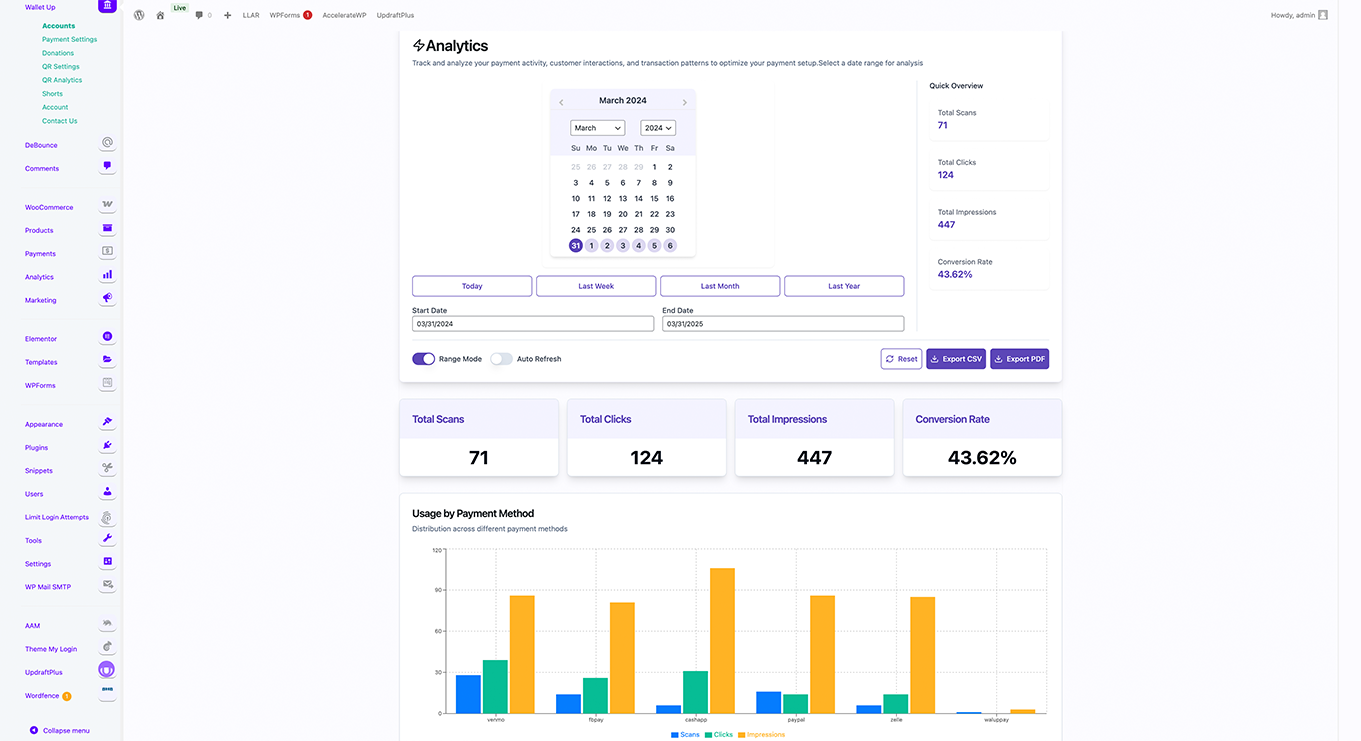
Analytics Dashboard — track scans, clicks, and conversions (Pro) 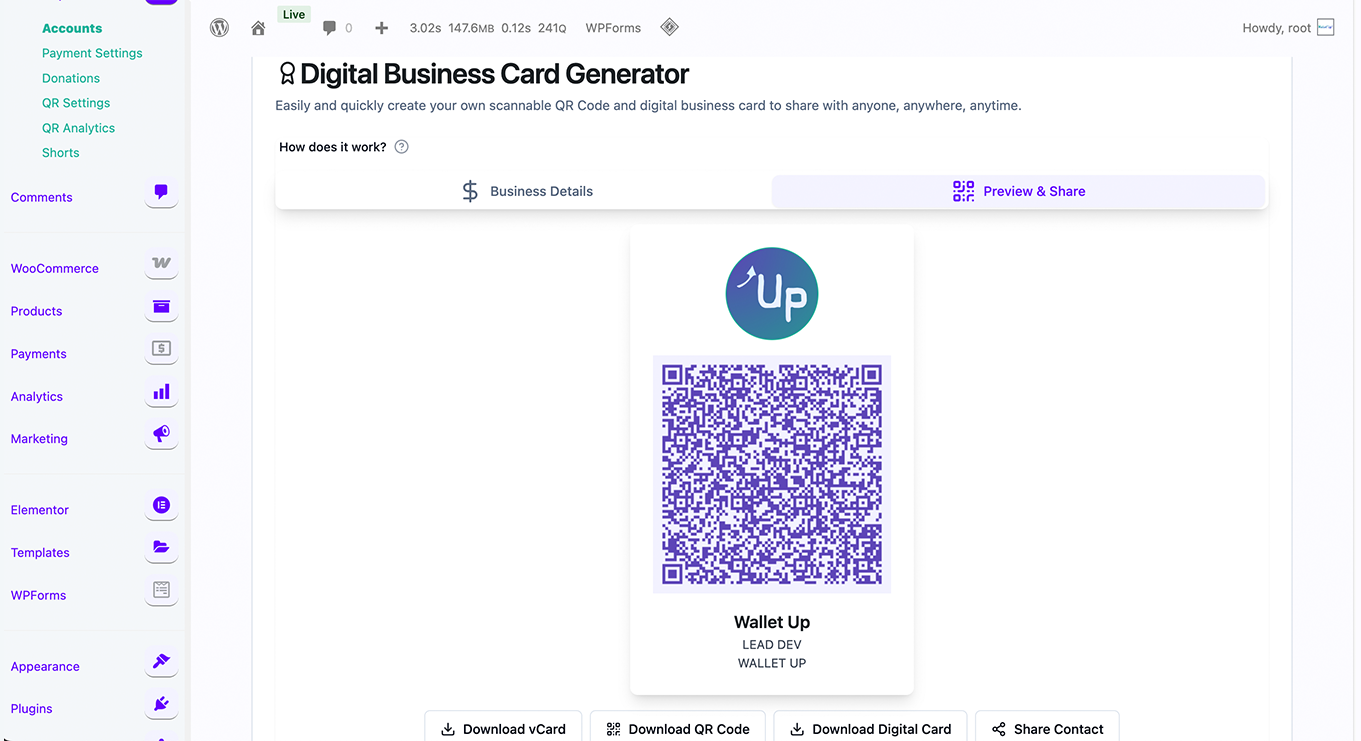
Donation System — customizable donation pages (Pro) 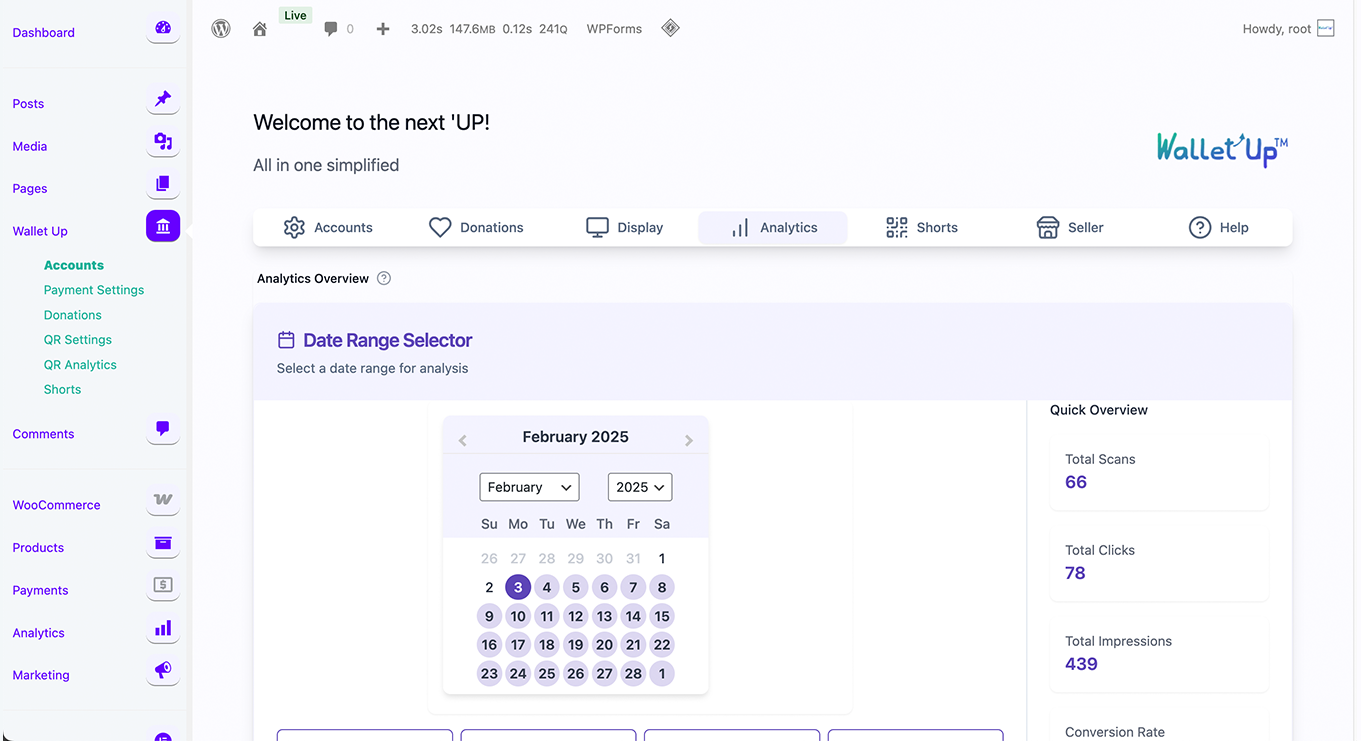
WPForms Integration — payment fields in forms (Pro) 
Blocks
This plugin provides 5 blocks.
- WalletUpPro Payment Method
- Payment Button
- Payment Qr
- Pay Link
- Tip Jar
Installation
Automatic Installation
- Go to Plugins > Add New in your WordPress dashboard
- Search for “Wallet Up”
- Click “Install Now” then “Activate”
- Go to Wallet Up in your admin menu
- Enter your Cash App, Venmo, or PayPal username
- Use the shortcode
[walletup method="cashapp" amount="25"]on any page
WooCommerce Setup
- Activate WooCommerce
- Go to Wallet Up > Payments > WooCommerce tab
- Enable the gateway and configure your payment methods
- Customers will see Wallet Up payment options at checkout
Requirements
- WordPress 5.8+
- PHP 8.1+
- MySQL 5.7+
- SSL certificate recommended
FAQ
-
Which payment methods does Wallet Up support?
-
The free version supports Cash App, Venmo, and PayPal. The Pro version adds Zelle, Meta Pay, Bitcoin, Ethereum, USDT, USDC, BNB, Dogecoin, and 7 mobile money providers (20 methods total).
-
Do I need a merchant account or API keys?
-
No. Wallet Up uses your existing Cash App, Venmo, or PayPal username to generate payment links and QR codes. Payments go directly to your personal account. No API keys, no merchant account, no monthly fees.
-
Does it work with WooCommerce?
-
Yes. Wallet Up registers as a native WooCommerce payment gateway and is fully compatible with both the classic checkout and the new WooCommerce Blocks checkout.
-
Can I offer discounts for specific payment methods?
-
Yes (Pro). You can set a percentage or fixed-amount discount per payment method. For example, offer 5% off for Cash App payments to encourage customers to use your preferred method.
-
How do customers pay?
-
Customers scan a QR code with their phone camera or click a payment link. The payment app (Cash App, Venmo, PayPal) opens with the amount pre-filled. After paying, they confirm on your site.
-
Is it secure?
-
Payments are processed entirely through the official payment provider apps (Cash App, Venmo, PayPal). Wallet Up never touches or stores card numbers or bank details. The plugin has been audited for OWASP Top 10 vulnerabilities.
-
Can I customize the QR code appearance?
-
The free version generates standard QR codes. Pro users can customize colors, add logos, choose from multiple styles (rounded, dot, circular), and adjust sizes.
-
Does it work with WPForms?
-
Yes (Pro). You can add Wallet Up payment fields to any WPForms form.
-
Can I accept donations?
-
Yes (Pro). The donation system includes customizable donation pages, campaign management, donor tracking, and tax receipt generation.
-
Do you offer support?
-
Yes. Free users can post in the WordPress.org support forum. Pro users receive priority email support.
Reviews

ডেভেলপার এবং কন্ট্রিবিউটর
“Wallet Up – Cash App, Venmo, PayPal, Zelle & QR Code Payments” is open source software. The following people have contributed to this plugin.
কন্ট্রিবিউটর

Translate “Wallet Up – Cash App, Venmo, PayPal, Zelle & QR Code Payments” into your language.
ডেভেলপমেন্ট এ আগ্রহী?
Browse the code, check out the SVN repository, or subscribe to the development log by RSS.
Changelog
5.6.0 – May 26, 2026
Major update — faster setup, blocks for the WordPress editor, and a shareable payment page on your dashboard.
- New: Four blocks for the WordPress editor — Payment Button, Payment QR Code, Tip Jar, Pay Link. Search “Wallet Up” in the block inserter.
- New: Setup is goal-first — pick what you want to accept payments for, and we set it up in three questions.
- New: A shareable link, a downloadable QR, and an “Add to a page” button appear when setup finishes.
- New: Dashboard now opens with your payment page front-and-center.
- New: Wallet Up notices on WPForms, WooCommerce, Elementor, Gravity Forms, Fluent Forms, and Forminator admin pages — see how Wallet Up plugs in.
- Improved: Setup reminder for installs that never finished setup.
- Improved: A backup setup form when the visual wizard can’t load.
- Improved: Tip Jar — visitors pick a preset amount or type a custom one.
5.5.20 – May 25, 2026
- Improved: Plugin description lists every supported payment method.
5.5.19 – May 21, 2026
- Improved: Shortcode Builder defaults to QR Code display.
5.5.18 – May 21, 2026
- Fixed: Setup Assistant requires the necessary fields before continuing.
5.5.17 – May 21, 2026
- Fixed: Payment QR codes at checkout open the correct payment app when scanned.
5.5.16 – May 13, 2026
- Fixed: PHP 8 fatal error in WooCommerce email preview.
5.5.15 – April 30, 2026
- Fixed: Free version no longer shows shortcode templates with Pro-only methods.
- Fixed: Clearer error when previewing a Pro-only shortcode on the free version.
- New: Two-week dismissible review request.
- Tested up to WordPress 7.0.
5.5.11 – April 30, 2026
- Fixed: Free version no longer shows the WooCommerce step in the Setup Assistant.
5.5.10 – April 28, 2026
- Fixed: Clicking Place Order completes a PayPal card payment in one step.
- Fixed: PayPal orders place automatically once approved.
- Improved: Card payment shows “Completing order…” progress.
5.5.8 – April 27, 2026
- Fixed: Card payments at checkout no longer stick on “Authorized — placing order…”.
- Fixed: Card payments authorize correctly with PayPal.
- Improved: Card errors are shown clearly; the Pay button resets after a failure.
5.5.7 – April 27, 2026
- Fixed: Pro activates cleanly when the free version is installed.
- Fixed: Removing the free version no longer cancels a Pro subscription.
- Improved: Free version goes dormant automatically when Pro is active.
5.5.6 – April 25, 2026
- New: PayPal at checkout now shows the official PayPal button and card fields
- New: Cash App Pay at checkout now shows the official Cash App Pay button
- New: Venmo at checkout now shows the official Venmo button
- Fixed: Browser cache could keep showing old payment buttons after an update
5.5.5 – April 23, 2026
- New: Payments page shows how many methods are enabled, set up, and live at checkout
- Improved: Setup Assistant only enables a method at checkout when its account details are filled in
- Improved: Methods missing account details are clearly marked during setup
- Fixed: Methods now appear at checkout as soon as they’re set up
- Fixed: WooCommerce Payments no longer lists methods that aren’t configured
- Fixed: Per-Method Customization now correctly overrides the title and description shown at checkout
- Improved: Individual-mode checkout now shows the step-by-step “How to pay” guide
5.5.4 – April 23, 2026
- New: Clear step-by-step “How to pay” guide on the WooCommerce thank-you page — shown for every payment method, even without admin configuration
- Improved: Payment instructions now show your actual username, cashtag, or address automatically
5.5.3 – April 21, 2026
- New: Dedicated Shortcodes menu with a built-in builder and templates
- New: Seller menu for WooCommerce sites
- Changed: Default QR style is now square with a white background
- Improved: Setup Assistant clearly separates Free and Pro features
- Improved: Wallet Up logo appears in the loading screen
5.5.2 – April 20, 2026
- New: Guided Setup Assistant for first-time activation
- Fixed: Short URL redirects (/go/*) now work correctly
- Fixed: Free version no longer shows Pro payment methods during setup
5.5.1 – April 18, 2026
- Fixed: Admin settings now save instantly — no more long delays on first load
- Fixed: Plugin can be deleted cleanly without errors
- Improved: Faster admin page load times
5.5.0 – April 16, 2026
WooCommerce Discount System
* New: Per-method discounts now work across all three checkout display modes (Grouped, Individual, Mixed)
* New: Discount badge in payment method labels — shows “(5% off)” or “($5 off)” next to the method name at checkout
* New: Global toggle + per-method override for discount badge visibility (Pro)
* New: Server-authoritative discount calculation eliminates race conditions between QR display and cart total
* Fixed: Discount applied correctly in WC Blocks checkout via Store API namespace registration
* Fixed: Stale discount no longer persists after page refresh — session cleared on fresh checkout load
Variable Substitution
* New: Template variables ({amount}, {method}, {currency}, {site_name}, {order_id}, {customer_name}) now work in all three contexts: checkout description, thank-you instructions, and order emails
* Fixed: {amount} renders as “$97.85” instead of “$97.85” in React text contexts
* Fixed: {amount} renders bold in QR card and email HTML
Order Status Sync
* Fixed: WooCommerce orders now advance from on-hold to processing when payment is confirmed — works in Individual and Mixed display modes (previously only worked in Grouped)
* Fixed: WC Analytics tab excluded checkout-draft and failed orders from totals
* Fixed: “Completed” counter now includes both processing and completed WC order statuses
Thank You Page
* Improved: QR code, order reference chip, confirmation button, and verify form now stack in a centered 480px column instead of spreading across the full width
Admin
* Improved: Unified save orchestration — single “Saved” pill transition and single toast notification after all settings (accounts, display, WC, per-method) finish saving
* Fixed: Save button no longer shows “Saved” badge before all child saves complete
5.4.0 – April 8, 2026
Payment Display Redesign
* New: Payment method logo now appears above the QR code
* New: Method-colored accent bar at the top of the payment card
* New: Three new display toggles: Method Logo, Accent Color Bar, Powered by WalletUp
* New: Sticky save bar on the Payments page
Auto-Save Reliability
* Fixed: Rapid toggling of multiple switches no longer triggers overlapping saves
Shortcode Builder
* Fixed: Empty amount fields no longer produce invalid shortcodes
* Improved: Templates only show shortcodes for configured methods
5.3.0 – April 6, 2026
Multiple Recipients
* New: Each recipient can have its own payment addresses
* New: CSV import/export for bulk management
* New: “All Links” view for copying payment links
WooCommerce Checkout
* Fixed: Only configured payment methods appear at checkout
* Fixed: Confirmation form works correctly on thank-you page
* Fixed: Duplicate transaction prevention on payment confirmation
5.2.0 – March 24, 2026
- New: Wave (Cote d’Ivoire) as 8th mobile money provider (Pro)
- New: Native mobile money payment processing via provider APIs (Pro)
- New: Merchant balance dashboard (Pro)
- New: Shareable payment links from merchant portal (Pro)
5.1.5 – March 14, 2026
- New: Complete Donation V2 admin experience (Pro)
- Security: Webhook signature verification, encrypted credential storage, strengthened access control
5.1.0 – March 9, 2026
- Fix: Fatal error on sites without WooCommerce
- Fix: Responsive overflow on payment method grids
5.0.0 – March 8, 2026
- Major Release: Redesigned admin with unified Dashboard
- New: WooCommerce checkout display modes (Grouped, Individual, Mixed)
- New: Per-method checkout customization (title, description, instructions, order status)
- New: Live crypto exchange rates for 6 coins (Pro)
- New: Zelle deep linking to banking apps
- New: Mobile Money for Africa — 8 providers across Kenya, Cote d’Ivoire, Zambia (Pro)
- New: Stripe card payments at WooCommerce checkout (Pro)
- Fixed: URL shortener save and redirect reliability
4.3.4 – January 31, 2026
- Compatibility adjustment
4.3.3 – January 13, 2026
- Enhanced: ZenithQR Generator redesigned with responsive layout (Pro)
- WordPress 6.9+ compatibility
4.3.1 – November 7, 2025
- New: Multi-language translation system (6+ languages)
- New: Cryptocurrency exchange rate management (Pro)
4.3.0 – August 1, 2025
- New: ZenithQR Preview (Pro)
- New: SEO configuration for donation pages (Pro)
- Fixed: WooCommerce install link for subdomain installations
4.2.0 – May 11, 2025
- New: Premium Hub dashboard with health monitoring (Pro)
- Enhanced: Payment method performance tracking
4.1.0 – March 29, 2025
- New: Digital Business Card Generator (Pro)
- New: Advanced QR Code Customization with logo support (Pro)
- New: URL Shortener with real-time analytics (Pro)
- Enhanced: WooCommerce Blocks API support
4.0.0 – January 4, 2025
- Major release: Complete React-based admin interface
- Requires WordPress 5.8+ and PHP 8.1+
3.4.0 – November 19, 2024
- Replaced deprecated QR code API
3.2.0 – July 02, 2023
- New: Meta Pay (formerly Facebook Pay) integration
3.1.0 – May 07, 2023
- New: Zelle integration
3.0.0 – February 18, 2023
- Initial release with Cash App, Venmo, and PayPal support