Title: WP Code Pre
Author: zeshanb
Published: সেপ্টেম্বর 19, 2017
Last modified: আগস্ট 8, 2021
---
প্লাগিন অনুসন্ধান
এই প্লাগইনটি **ওয়ার্ডপ্রেসের সর্বশেষ ৩টি মেজর রিলিজের সাথে পরীক্ষা করা হয়নি**। এটি
আর রক্ষণাবেক্ষণ বা সমর্থন করা নাও হতে পারে এবং ওয়ার্ডপ্রেসের আরও সাম্প্রতিক সংস্করণগুলোর
সাথে ব্যবহার করার সময় কম্প্যাটিবিলিটি ইস্যু থাকতে পারে।
# WP Code Pre
তৈরি করেছেন [zeshanb](https://profiles.wordpress.org/zeshanb/)
[Download](https://downloads.wordpress.org/plugin/wp-code-pre.1.0.1.zip)
* [বিস্তারিত](https://bn.wordpress.org/plugins/wp-code-pre/#description)
* [রিভিউ](https://bn.wordpress.org/plugins/wp-code-pre/#reviews)
* [ইন্সটলেশন](https://bn.wordpress.org/plugins/wp-code-pre/#installation)
* [ডেভেলপমেন্ট](https://bn.wordpress.org/plugins/wp-code-pre/#developers)
[Support](https://wordpress.org/support/plugin/wp-code-pre/)
## Description
This simple plugin was created because of security concerns related to using PHP
preg_replace directly. With transition to PHP7, it’s advised to use preg_replace_callback
instead.
This plugin uses built-in supported feature of PHP-“highlight_string”. This plugin
filters post content inside custom html block for
and helps display html and other source code.
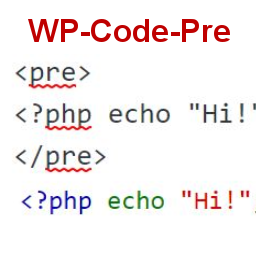
To display source code in your posts, surround source code with pre tags. Plugin
will filter for pre tags and add inline styles that may be modified using your wordpress
theme’s css stylesheet.
For WordPress versions 5.0 and above, HTML pre tags can be used within html block
or, classic block. Use the three dot menu to convert to html when there is a invalid
content error while post editing.
## Screenshots
* [[
* Code preview on blog post or page
* [[
* Typing code in text tab of WordPress Admin area when writing Post.
* [[
* Convert block to html while editing to make modifications to existing source
code display
## Installation
1. Download the plugin
2. Upload the wp-code-pre.zip folder to your site’s wp-content/plugins directory
3. Activate the plugin in the WordPress Admin Panel
4. Surround source code with `
` tags, when writing in blog posts using
Gutenberg with classic block and “Edit as HTML” or, html block
## FAQ
Why there aren’t any options to modify in admin?
This plugin simply filters for
pre tags.
## Reviews
There are no reviews for this plugin.
## ডেভেলপার এবং কন্ট্রিবিউটর
“WP Code Pre” is open source software. The following people have contributed to
this plugin.
কন্ট্রিবিউটর
* [ zeshanb ](https://profiles.wordpress.org/zeshanb/)
[Translate “WP Code Pre” into your language.](https://translate.wordpress.org/projects/wp-plugins/wp-code-pre)
### ডেভেলপমেন্ট এ আগ্রহী?
[Browse the code](https://plugins.trac.wordpress.org/browser/wp-code-pre/), check
out the [SVN repository](https://plugins.svn.wordpress.org/wp-code-pre/), or subscribe
to the [development log](https://plugins.trac.wordpress.org/log/wp-code-pre/) by
[RSS](https://plugins.trac.wordpress.org/log/wp-code-pre/?limit=100&mode=stop_on_copy&format=rss).
## Changelog
#### 1.0
* First version of the plugin.
#### 1.0.1
* Updated readme to reflect updates to version 5.0
## মেটা
* Version **1.0**
* শেষ আপডেট করা হয়েছে **5 বছর আগে**
* Active installations **10+**
* WordPress version ** 4.0 or higher **
* Tested up to **5.8.13**
* PHP version ** 7.0 or higher **
* Language
* [English (US)](https://wordpress.org/plugins/wp-code-pre/)
* ট্যাগ
* [Code Highlight](https://bn.wordpress.org/plugins/tags/code-highlight/)[filter content](https://bn.wordpress.org/plugins/tags/filter-content/)
* টি
* [এডভান্সড ভিউ](https://bn.wordpress.org/plugins/wp-code-pre/advanced/)
## Ratings
এখনো কোনো রিভিউ জমা দেওয়া হয়নি।
[Your review](https://wordpress.org/support/plugin/wp-code-pre/reviews/#new-post)
[সব রিভিউ দেখুন](https://wordpress.org/support/plugin/wp-code-pre/reviews/)
## কন্ট্রিবিউটর
* [ zeshanb ](https://profiles.wordpress.org/zeshanb/)
## Support
Got something to say? Need help?
[View support forum](https://wordpress.org/support/plugin/wp-code-pre/)